Loading...
Searching...
No Matches
Print Directory Reference
Directory dependency graph for Print:
Directories | |
| PrintAttributes | |
Detailed Description
The library can be used to segment slaps and extract templates from prints.
Overview
The library can be used to segment slaps and extract templates from prints. The library can process following print types
- Slap
- Thumbs
- Print (types are different only by PrintPosition)
- Fingerprint
- Palm
We are able to segment Slap and provide segmented Prints for further processing. Usually the processing is template extraction from Print. The library provides ICSExtractor to extract Print.
Slap
Slap is image of usually 4 fingers. It can be segmented and result of segmentation is PrintSegment. Usually the fingertip has also position that is assigned by segmentation algorithm. The position of found fingertip on hand is estimated by comparing the x-coordinate of the center of the finger's bounding box rectangle. As a result, the estimation may not be precise for slaps with an angle greater than 45 degrees. When the segmentation algorithm does not detect position then it is necessary that user sets correct position to be possible to create Print for further processing.
We provides following algorithm for segmentation process:
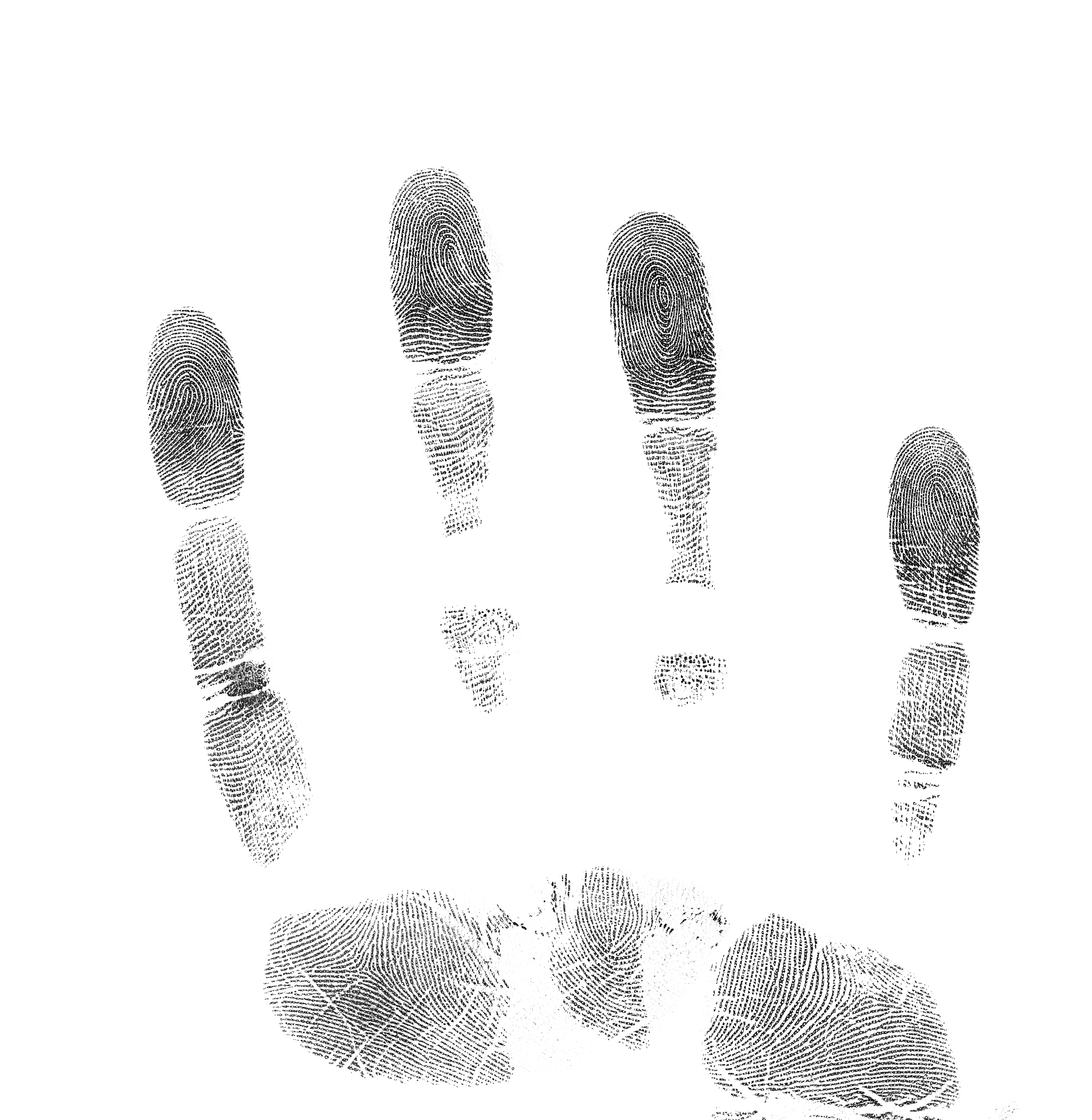
Slap
It can be segmented with function Slap::SegmentWith that return segmented rectangles.
-
c++const auto dpi = 1000;auto cfg = AlgorithmicSegmentation::Config::Default();cfg.SetMaxRotation(10);AlgorithmicSegmentation segmentation(cfg);unsigned int fingerIndex = 0;auto segments = slap->SegmentWith(segmentation);for (auto& segment : segments){const std::string file ="output/slap_segment_" + std::to_string(fingerIndex) + ".png";segment->ToPrint()->image->SaveAs(file);fingerIndex++;}slap->Draw(segments, Shapes::InnoBlue)->SaveAs("output/slap_segments.png");
-
java final int dpi = 1000;Image img = Image.Decode(BinaryFile.ReadAll("assets/slap.png"), dpi);SlapCapture slap = SlapCapture.Create(img, HandPosition.RIGHT);AlgorithmicSegmentation.Config cfg = AlgorithmicSegmentation.Config.Default();cfg.SetMaxRotation(10);AlgorithmicSegmentation segmentation = new AlgorithmicSegmentation(cfg);int fingerIndex = 0;PrintSegments segments = slap.SegmentWith(segmentation);for (PrintSegment segment : segments) {segment.ToPrint().getImage().SaveAs("output/slap_segment_" + fingerIndex + ".png");fingerIndex++;}slap.Draw(segments, Shapes.InnoBlue).SaveAs("output/slap_segments.png");
-
csharp const int dpi = 1000;Image img = Image.Decode(BinaryFile.ReadAll("assets/slap.png"), dpi);SlapCapture slap = SlapCapture.Create(img, HandPosition.RIGHT);uint fingerIndex = 0;AlgorithmicSegmentation.Config cfg = AlgorithmicSegmentation.Config.Default();cfg.SetMaxRotation(10);AlgorithmicSegmentation segmentation = new AlgorithmicSegmentation(cfg);PrintSegments segments = slap.SegmentWith(segmentation);foreach (PrintSegment segment in segments){fingerIndex++;}slap.Draw(segments, Shapes.InnoBlue).SaveAs("output/slap_segments.png");
The output of example is segmented slap
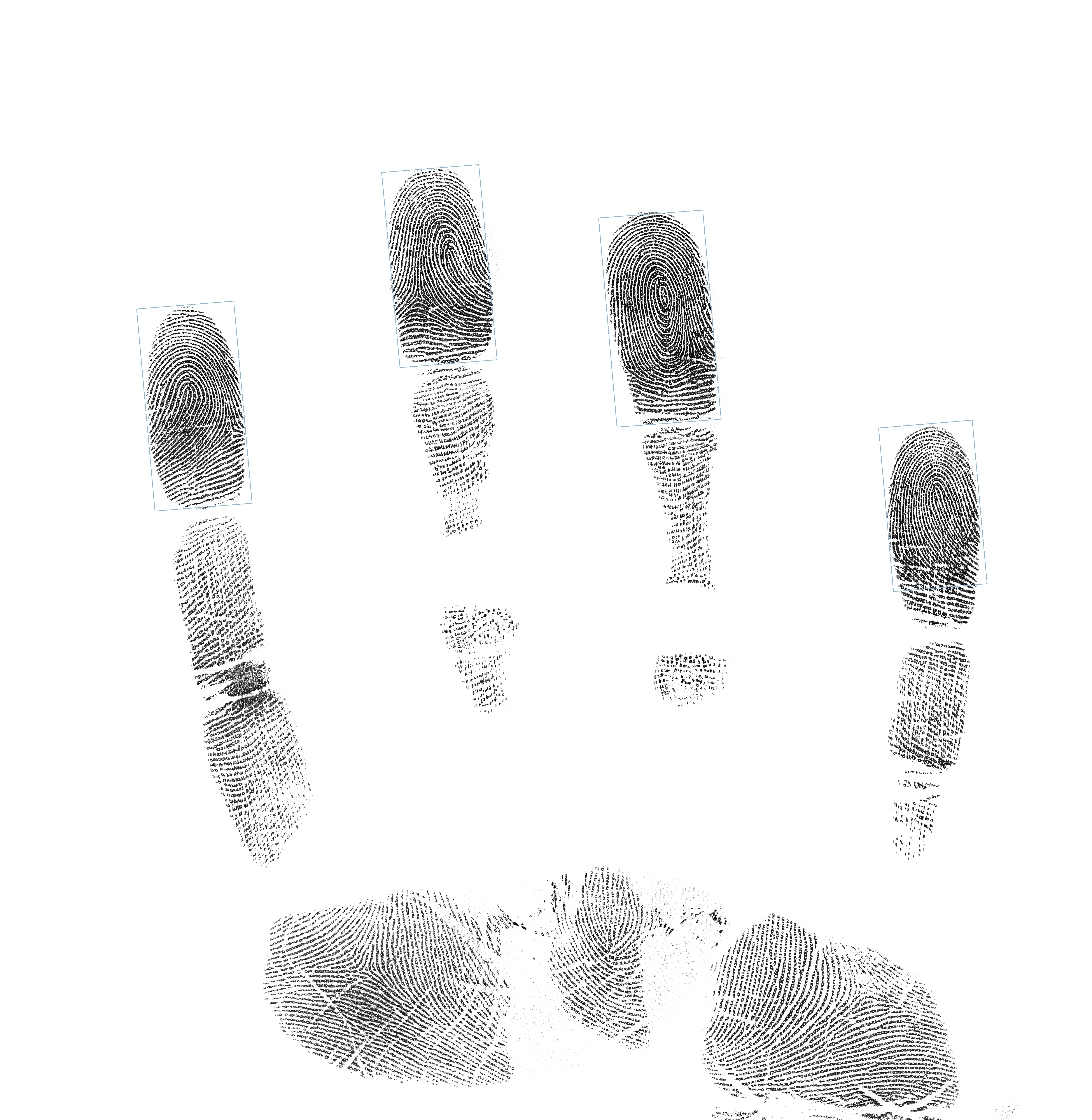
Segmented Slap
and cropped segments
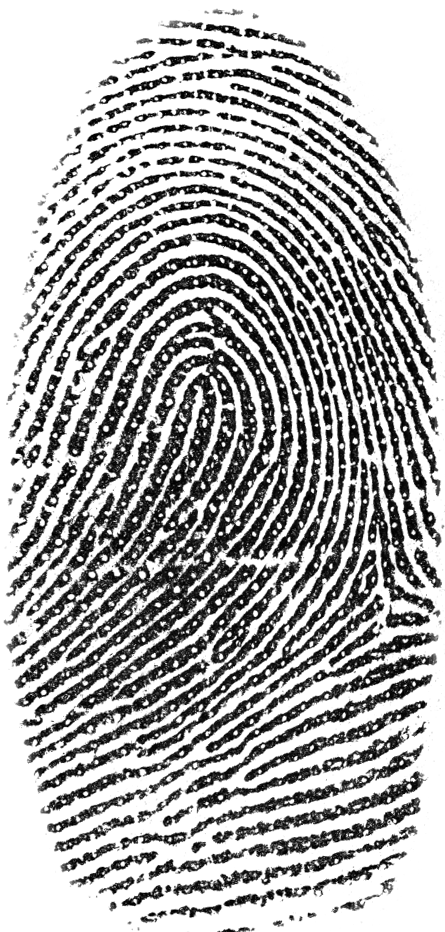
Slap Segment 1
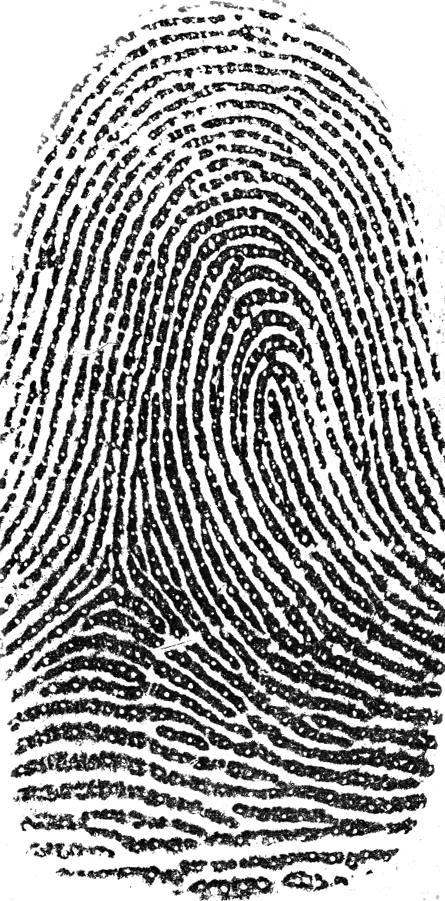
Slap Segment 2
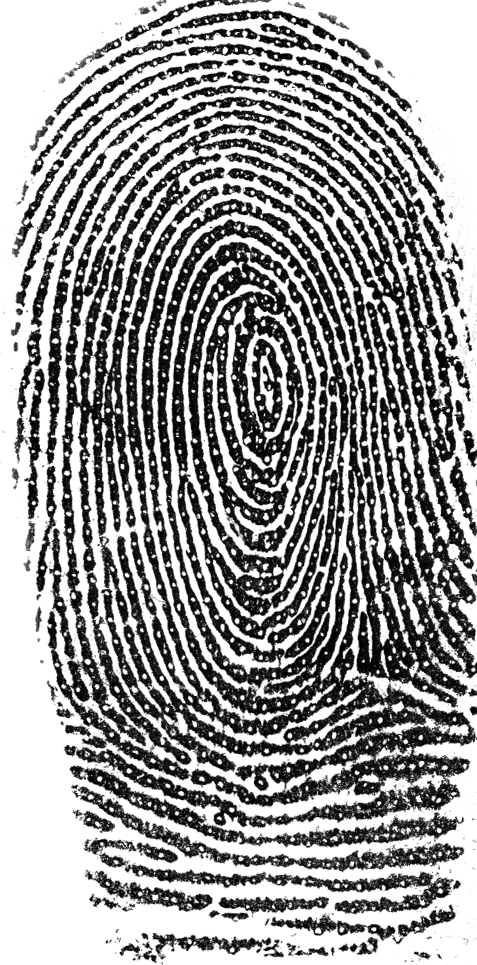
Slap Segment 3
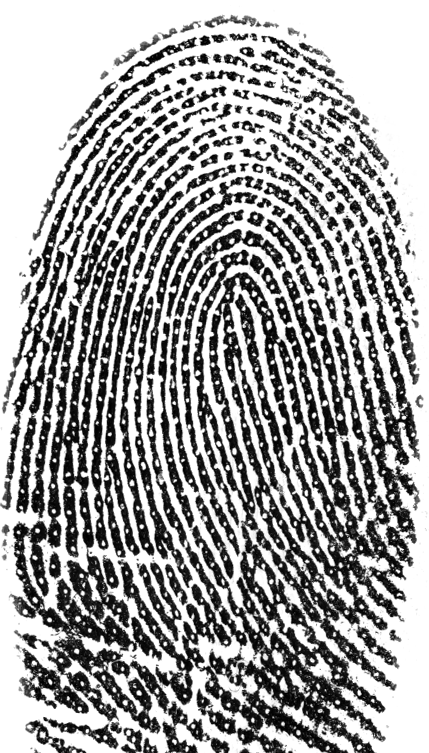
Slap Segment 4
Modify segment dimensions and crop
It is possible to use crop configuration (PrintCropConfiguration) when creating prints from PrintSegment. It is also possible to modified segment dimension via function PrintSegment::Resize.
-
c++NeuralSegmentation segmentation;PrintCropConfiguration cropCfg;cropCfg.SetBackgroundColor(Colors::InnoBlue);cropCfg.SetImageDimensions(400, 500);auto segments = slap->SegmentWith(segmentation);auto modifiedSegments = segments;// Get aligned fingerprint into image with dimension 400x500segments[0]->ToPrint(cropCfg)->image->SaveAs("output/slap_segment_crop_0.png");// Resize rounding box to absolute values and get aligned fingerprint into image// with dimension 400x500modifiedSegments[1] = segments[1]->Resize(400.0F, 500.F);modifiedSegments[1]->ToPrint(cropCfg)->image->SaveAs("output/slap_segment_crop_1.png");// Resize rounding box relatively to original one and get not aligned fingerprint// into image with dimension 400x500cropCfg.EnableAlignedCropping(false);auto segment2 = segments[2];modifiedSegments[2] = segment2->Resize(segment2->roundingBox.GetWidth() * 1.3F,segment2->roundingBox.GetHeight() * 1.5F);modifiedSegments[2]->ToPrint(cropCfg)->image->SaveAs("output/slap_segment_crop_2.png");// Resize rounding box to absolute values and get aligned fingerprint into image// with dimensions same as rounding box. The default crop configuration is used in// ToPrint() function.modifiedSegments[3] = segments[3]->Resize(300.0F, 400.0F);modifiedSegments[3]->ToPrint()->image->SaveAs("output/slap_segment_crop_3.png");// Draw segments into image. Original one as light gray and modified as blueauto segmentsImage =slap->image->DrawShape(SegmentsShape(segments, modifiedSegments));segmentsImage->SaveAs("output/slap_segment_crop.png");
-
java Image img = Image.Decode(BinaryFile.ReadAll("assets/canted_slap_left.png"));SlapCapture slap = SlapCapture.Create(img, HandPosition.LEFT);NeuralSegmentation segmentation = new NeuralSegmentation();PrintCropConfiguration cropCfg = new PrintCropConfiguration();cropCfg.SetBackgroundColor(Colors.InnoBlue);cropCfg.SetImageDimensions(400, 500);PrintSegments segments = slap.SegmentWith(segmentation);PrintSegments modifiedSegments = new PrintSegments(segments);// Get aligned fingerprint into image with dimension 400x500segments.get(0).ToPrint(cropCfg).getImage().SaveAs("output/slap_segment_crop_0.png");// Resize rounding box to absolute values and get aligned fingerprint into image// with dimension 400x500modifiedSegments.set(1, segments.get(1).Resize(400.0F, 500.0F));modifiedSegments.get(1).ToPrint(cropCfg).getImage().SaveAs("output/slap_segment_crop_1.png");// Resize rounding box relatively to original one and get not aligned// fingerprint// into image with dimension 400x500cropCfg.EnableAlignedCropping(false);PrintSegment segment2 = segments.get(2);modifiedSegments.set(2, segment2.Resize(segment2.getRoundingBox().GetWidth() * 1.3F,segment2.getRoundingBox().GetHeight() * 1.5F));modifiedSegments.get(2).ToPrint(cropCfg).getImage().SaveAs("output/slap_segment_crop_2.png");// Resize rounding box to absolute values and get aligned fingerprint into image// with dimensions same as rounding box. The default crop configuration is used// in ToPrint() function.modifiedSegments.set(3, segments.get(3).Resize(300.0F, 400.0F));modifiedSegments.get(3).ToPrint().getImage().SaveAs("output/slap_segment_crop_3.png");// Draw segments into image. Original one as light gray and modified as blueImage segmentsImage = slap.getImage().DrawShape(new SegmentsShape(segments, modifiedSegments));segmentsImage.SaveAs("output/slap_segment_crop.png");
-
csharp Image img = Image.Decode(BinaryFile.ReadAll("assets/canted_slap_left.png"));SlapCapture slap = SlapCapture.Create(img, HandPosition.LEFT);NeuralSegmentation segmentation = new NeuralSegmentation();PrintCropConfiguration cropCfg = new PrintCropConfiguration();cropCfg.SetBackgroundColor(Colors.InnoBlue);cropCfg.SetImageDimensions(400, 500);PrintSegments segments = slap.SegmentWith(segmentation);PrintSegments modifiedSegments = new PrintSegments(segments);// Get aligned fingerprint into image with dimension 400x500segments[0].ToPrint(cropCfg).image.SaveAs("output/slap_segment_crop_0.png");// Resize rounding box to absolute values and get aligned fingerprint into image// with dimension 400x500modifiedSegments[1] = segments[1].Resize(400.0F, 500.0F);modifiedSegments[1].ToPrint(cropCfg).image.SaveAs("output/slap_segment_crop_1.png");// Resize rounding box relatively to original one and get not aligned fingerprint// into image with dimension 400x500cropCfg.EnableAlignedCropping(false);PrintSegment segment2 = segments[2];segment2.roundingBox.GetHeight() * 1.5F);modifiedSegments[2].ToPrint(cropCfg).image.SaveAs("output/slap_segment_crop_2.png");// Resize rounding box to absolute values and get aligned fingerprint into image// with dimensions same as rounding box. The default crop configuration is used in// ToPrint() function.modifiedSegments[3] = segments[3].Resize(300.0F, 400.0F);modifiedSegments[3].ToPrint().image.SaveAs("output/slap_segment_crop_3.png");// Draw segments into image. Original one as light gray and modified as blueImage segmentsImage =slap.image.DrawShape(new SegmentsShape(segments, modifiedSegments));segmentsImage.SaveAs("output/slap_segment_crop.png");
The output of example is segmented slap (Original segments are light gray and modified are blue)
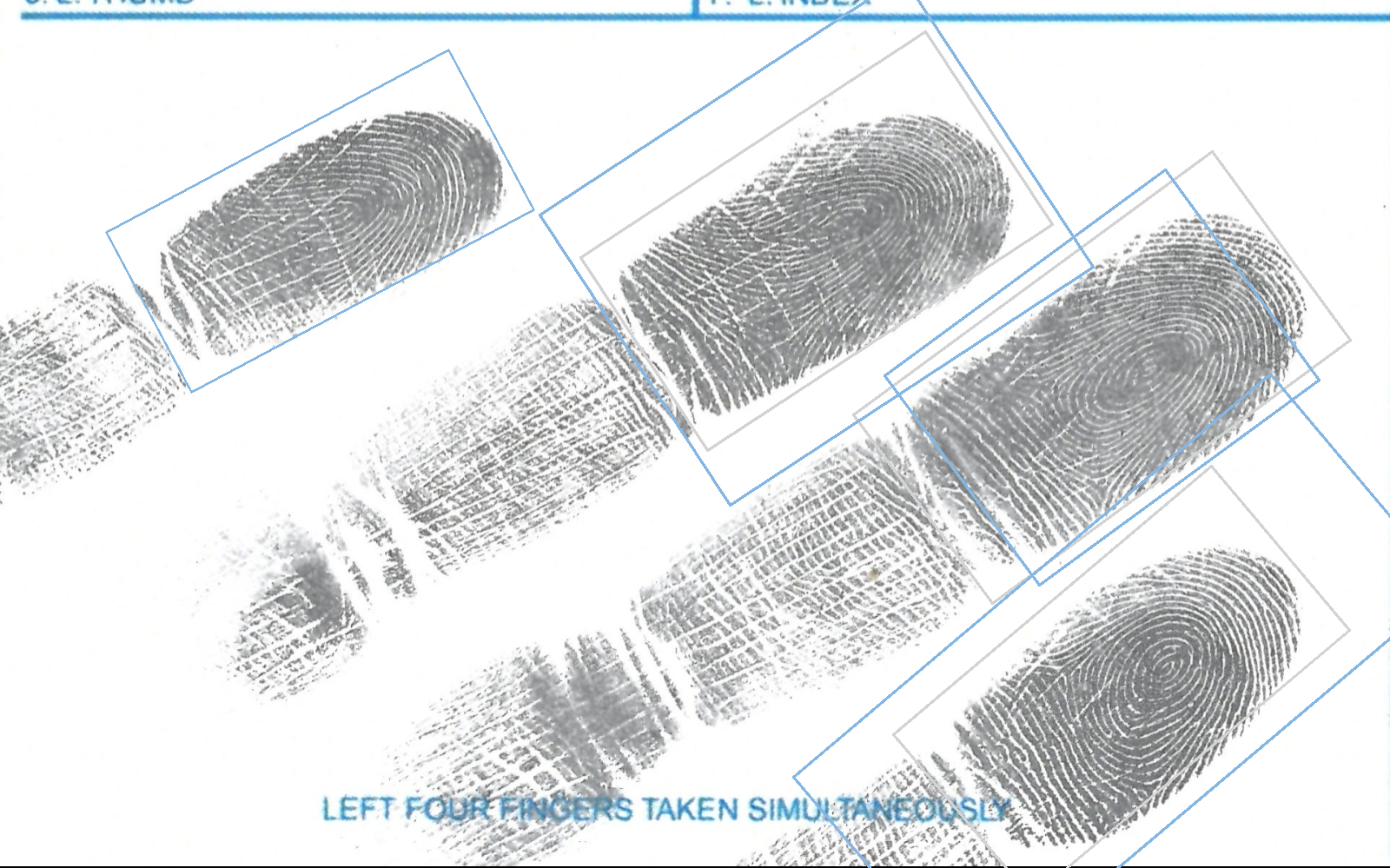
Modified Segmented Slap
and cropped segments
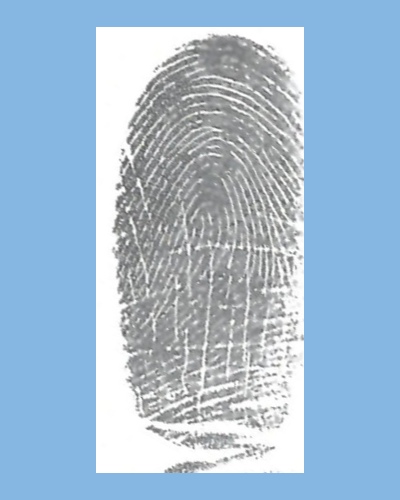
Modified Slap Segment 1
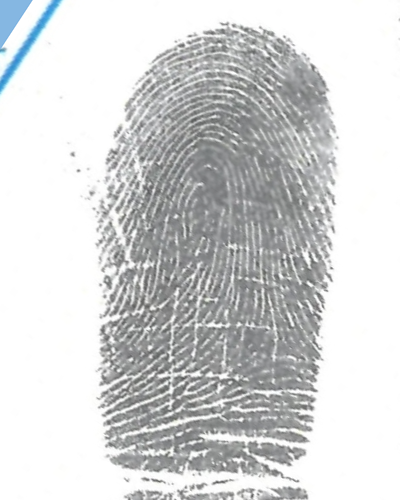
Modified Slap Segment 2

Modified Slap Segment 3
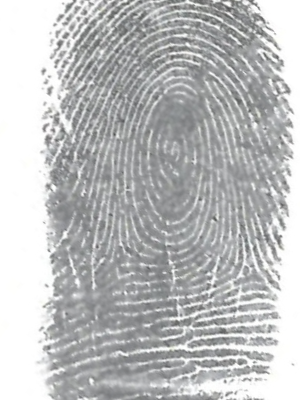
Modified Slap Segment 4
Hand position
Guess hand position. It is possible to guess hand position when slap contains at least 3 segments. The hand position can be obtained by function SlapCapture::GuessHandPosition.
-
c++const auto dpi = 1000;AlgorithmicSegmentation segmentation{};auto segments = slap->SegmentWith(segmentation);auto guessedHand = SlapCapture::GuessHandPosition(segments);if (guessedHand.IsGuessSuccessful()){std::cout << " Guessed hand position " << guessedHand.GetHandPosition()<< std::endl;}
-
java final int dpi = 1000;Image img = Image.Decode(BinaryFile.ReadAll("assets/slap.png"), dpi);SlapCapture slap = SlapCapture.Create(img, HandPosition.RIGHT);AlgorithmicSegmentation segmentation = new AlgorithmicSegmentation();PrintSegments segments = slap.SegmentWith(segmentation);GuessedHandPosition guessedHand = SlapCapture.GuessHandPosition(segments);if (guessedHand.IsGuessSuccessful()) {System.out.println(" Guessed hand position " + guessedHand.GetHandPosition());}
-
csharp const int dpi = 1000;Image img = Image.Decode(BinaryFile.ReadAll("assets/slap.png"), dpi);SlapCapture slap = SlapCapture.Create(img, HandPosition.RIGHT);AlgorithmicSegmentation segmentation = new AlgorithmicSegmentation();PrintSegments segments = slap.SegmentWith(segmentation);GuessedHandPosition guessedHand = SlapCapture.GuessHandPosition(segments);if (guessedHand.IsGuessSuccessful()){System.Console.WriteLine(" Guessed hand position " +guessedHand.GetHandPosition());}
Thumbs
Thumbs is image of both thumbs. When 2 segments are detected then first is left and second is right thumb. When only one thumb is detected then position is unknown and user MUST set correct position to be possible to create Print for further processing.
We provides following algorithm for segmentation process:
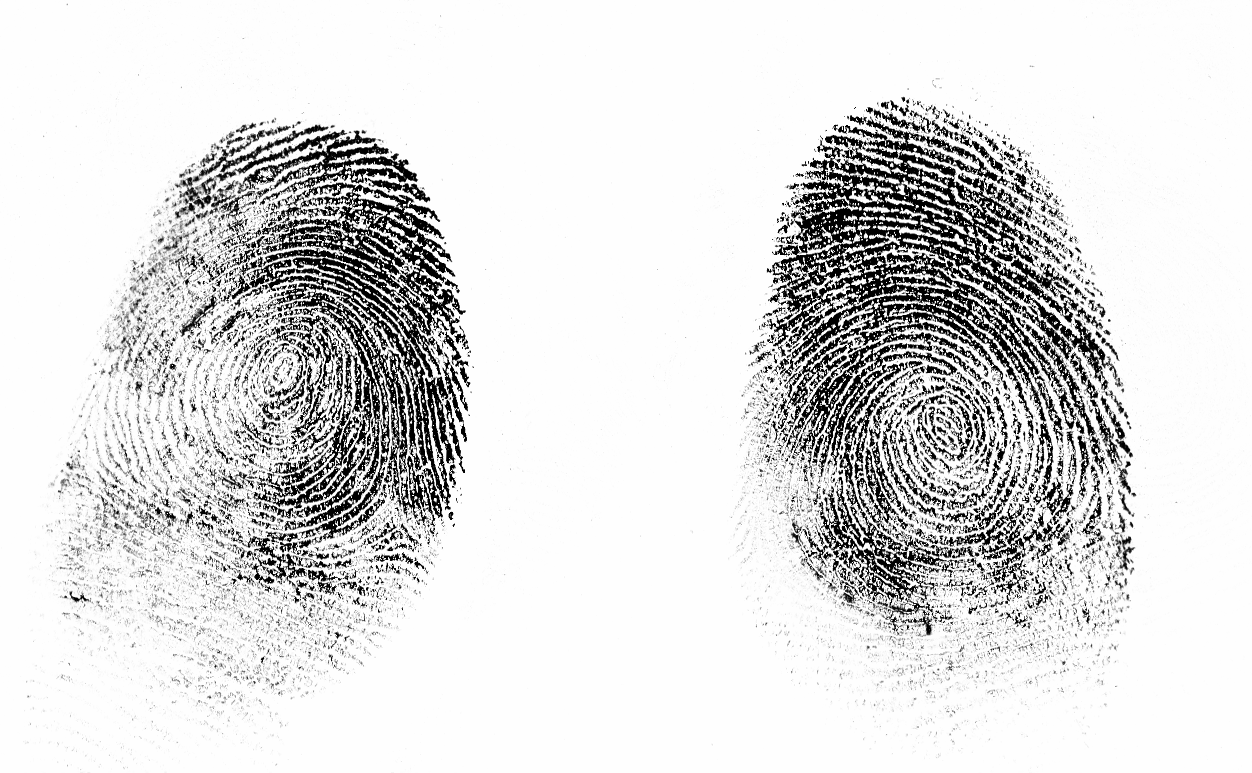
Thumbs
It can be segmented with function Thumbs::SegmentWith that return segmented rectangles.
-
c++auto thumbs = ThumbsCapture::Create(std::move(img));auto cfg = AlgorithmicSegmentation::Config::Default();cfg.SetMaxRotation(10);AlgorithmicSegmentation segmentation(cfg);unsigned int fingerIndex = 0;auto segments = thumbs->SegmentWith(segmentation);for (auto& segment : segments){const std::string file ="output/thumbs_segment_" + std::to_string(fingerIndex) + ".png";segment->ToPrint()->image->SaveAs(file);fingerIndex++;}thumbs->Draw(segments, Shapes::InnoBlue)->SaveAs("output/thumbs_segments.png");
-
java Image img = Image.Decode(BinaryFile.ReadAll("assets/thumbs.png"));ThumbsCapture thumbs = ThumbsCapture.Create(img);AlgorithmicSegmentation.Config cfg = AlgorithmicSegmentation.Config.Default();cfg.SetMaxRotation(10);AlgorithmicSegmentation segmentation = new AlgorithmicSegmentation(cfg);int fingerIndex = 0;PrintSegments segments = thumbs.SegmentWith(segmentation);for (PrintSegment segment : segments) {segment.ToPrint().getImage().SaveAs("output/thumbs_segment_" + fingerIndex + ".png");fingerIndex++;}thumbs.Draw(segments, Shapes.InnoBlue).SaveAs("output/thumbs_segments.png");
-
csharp Image img = Image.Decode(BinaryFile.ReadAll("assets/thumbs.png"));ThumbsCapture thumbs = ThumbsCapture.Create(img);uint fingerIndex = 0;AlgorithmicSegmentation.Config cfg = AlgorithmicSegmentation.Config.Default();cfg.SetMaxRotation(10);AlgorithmicSegmentation segmentation = new AlgorithmicSegmentation(cfg);PrintSegments segments = thumbs.SegmentWith(segmentation);foreach (PrintSegment segment in segments){segment.ToPrint().image.SaveAs("output/thumbs_segment_" + fingerIndex +".png");fingerIndex++;}thumbs.Draw(segments, Shapes.InnoBlue).SaveAs("output/thumbs_segments.png");
The output of example are segmented thumbs
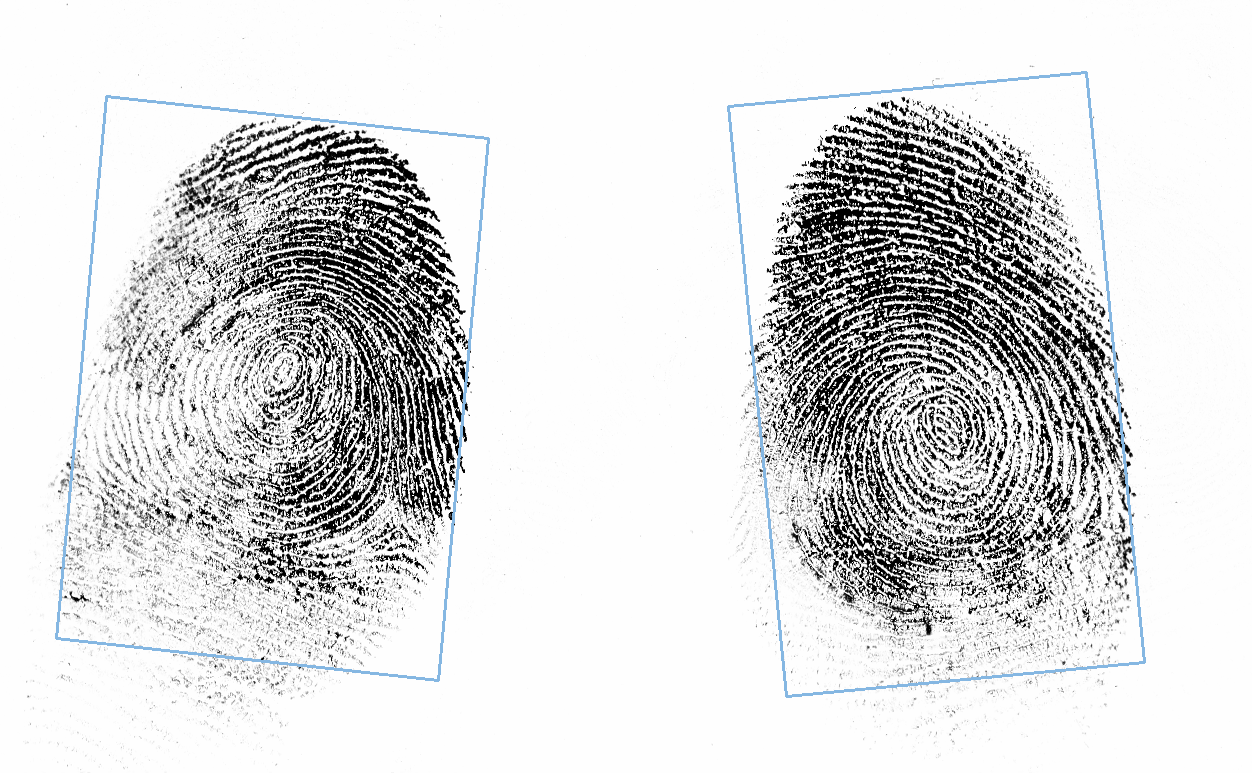
Segmented Thumbs
and cropped segments
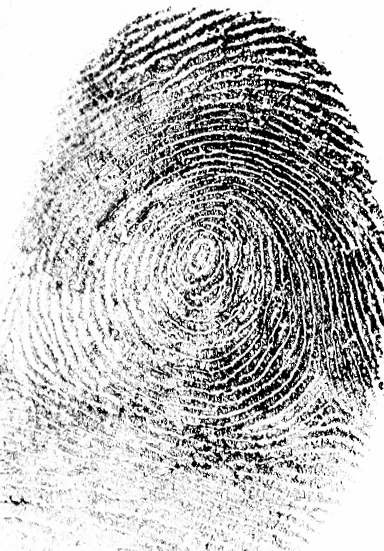
Thumbs Segment 1
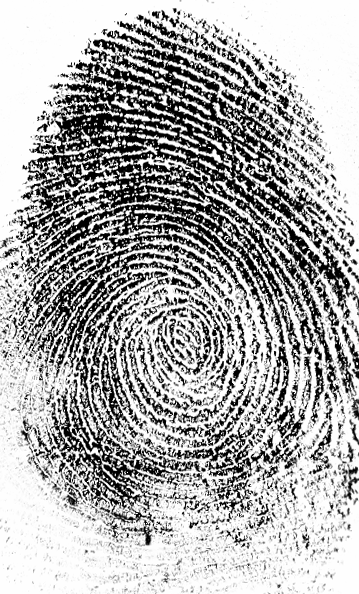
Thumbs Segment 2
Prints
We can segment images with one or more fingerprints on it (up to 4 fingerprints). The position of segmented fingerprints are always unknown and user MUST set correct position to be possible to create Print for further processing.
We provides following algorithm for segmentation process:
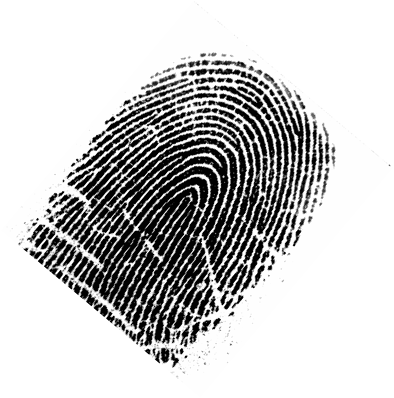
Print
It can be segmented with function PrintCapture::SegmentWith that return segmented rectangles.
-
c++auto print = PrintCapture::Create(std::move(img));NeuralSegmentation segmentation;auto segments = print->SegmentWith(segmentation);// We know that there is only one finger segmentedauto segment = segments[0];// The segment has no position, we have to set it for// further processingsegment->SetPosition(PrintPosition::LEFT_MIDDLE);segment->ToPrint()->image->SaveAs("output/print_nn_segment.png");print->Draw(segments, Shapes::InnoBlue)->SaveAs("output/print_nn_segments.png");
-
java Image img = Image.Decode(BinaryFile.ReadAll("assets/print.png"));PrintCapture print = PrintCapture.Create(img);NeuralSegmentation segmentation = new NeuralSegmentation();PrintSegments segments = print.SegmentWith(segmentation);// We know that there is only one finger segmentedPrintSegment segment = segments.get(0);// The segment has no position, we have to set it for// further processingsegment.SetPosition(PrintPosition.LEFT_MIDDLE);segment.ToPrint().getImage().SaveAs("output/print_nn_segment.png");print.Draw(segments, Shapes.InnoBlue).SaveAs("output/print_nn_segments.png");
-
csharp Image img = Image.Decode(BinaryFile.ReadAll("assets/print.png"));PrintCapture print = PrintCapture.Create(img);NeuralSegmentation segmentation = new NeuralSegmentation();PrintSegments segments = print.SegmentWith(segmentation);// We know that there is only one finger segmentedPrintSegment segment = segments[0];// The segment has no position, we have to set it for// further processingsegment.SetPosition(PrintPosition.LEFT_MIDDLE);segment.ToPrint().image.SaveAs("output/print_nn_segment.png");print.Draw(segments, Shapes.InnoBlue).SaveAs("output/print_nn_segments.png");
The output of example is segmented fingerprint
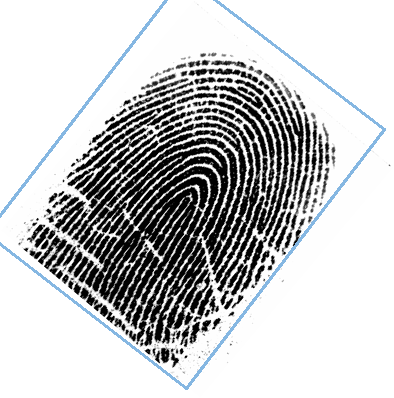
Segmented Print
and its cropp
Fingerprint Segment
Extraction
The SDK provides following extraction types
ICS Extraction
We provide ICS (Internal Innovatrics template) for Print via ICSExtractor. The main goal is to create template for further processing e.g. 1:1 Verification. During the extraction some intermediate artifacts can be provided.
- Note
- The adjudicator feature MUST be allowed in license to obtain intermediate artifacts.
-
c++ICSExtractor::Artifacts artifacts;ICSExtractor::SkeletonImage skeleton;artifacts.Add(skeleton);ICSExtractor::FilteredImage filtered;artifacts.Add(filtered);ICSExtractor::BinarizedImage binarized;artifacts.Add(binarized);ICSExtractor extractor;auto tmpl = extractor.Extract(fp, artifacts);skeleton.GetImage()->SaveAs("output/skeleton.png");filtered.GetImage()->SaveAs("output/filtered.png");binarized.GetImage()->SaveAs("output/binarized.png");BinaryFile::WriteAll("output/fp.ics", tmpl->icsTemplateData);
-
java Image img = Image.Decode(BinaryFile.ReadAll("assets/finger.png"));Print fp = new Print(img, PrintPosition.LEFT_INDEX);ICSExtractor.Artifacts artifacts = new ICSExtractor.Artifacts();ICSExtractor.SkeletonImage skeleton = new ICSExtractor.SkeletonImage();artifacts.Add(skeleton);ICSExtractor.FilteredImage filtered = new ICSExtractor.FilteredImage();artifacts.Add(filtered);ICSExtractor.BinarizedImage binarized = new ICSExtractor.BinarizedImage();artifacts.Add(binarized);ICSExtractor extractor = new ICSExtractor();ExtractedPrint tmpl = extractor.Extract(fp, artifacts);skeleton.GetImage().SaveAs("output/skeleton.png");filtered.GetImage().SaveAs("output/filtered.png");binarized.GetImage().SaveAs("output/binarized.png");BinaryFile.WriteAll("output/fp.ics", tmpl.getIcsTemplateData());
-
csharp Image img = Image.Decode(BinaryFile.ReadAll("assets/finger.png"));Print fp = new Print(img, PrintPosition.LEFT_INDEX);ICSExtractor.Artifacts artifacts = new ICSExtractor.Artifacts();ICSExtractor.SkeletonImage skeleton = new ICSExtractor.SkeletonImage();artifacts.Add(skeleton);ICSExtractor.FilteredImage filtered = new ICSExtractor.FilteredImage();artifacts.Add(filtered);ICSExtractor.BinarizedImage binarized = new ICSExtractor.BinarizedImage();artifacts.Add(binarized);ICSExtractor extractor = new ICSExtractor();ExtractedPrint tmpl = extractor.Extract(fp, artifacts);skeleton.GetImage().SaveAs("output/skeleton.png");filtered.GetImage().SaveAs("output/filtered.png");binarized.GetImage().SaveAs("output/binarized.png");BinaryFile.WriteAll("output/fp.ics", tmpl.icsTemplateData);
The output of example is template and required intermediate images.
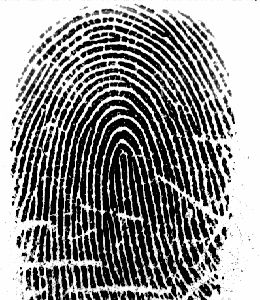
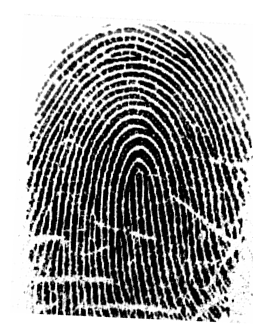
Finger for extraction
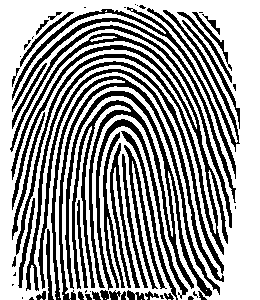
Binarized
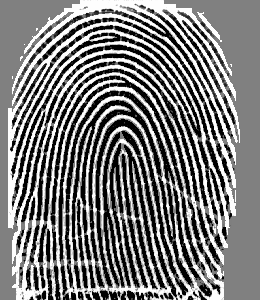
Filtered
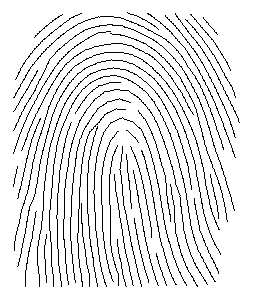
Skeleton
1 to 1 Verification
We provide verification of ICS (Internal Innovatrics template) for Print via ICSVerifyMatcher. The main goal is to calculate Similarity Score for given probe and gallery templates. The examples uses following images:
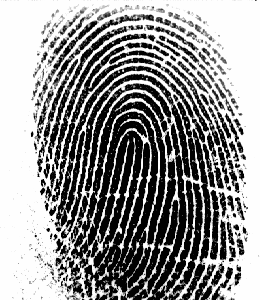
Probe
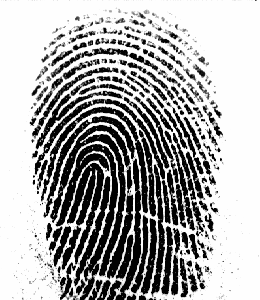
Gallery
-
c++ICSExtractor extractor;auto tmpl1 = extractor.Extract(p1);auto tmpl2 = extractor.Extract(p2);auto cfg = ICSVerifyMatcher::Config::Default();const ICSVerifyMatcher matcher(cfg);auto score = matcher.Match(*tmpl1, *tmpl2);std::cout << " Similarity score == " << score << std::endl;
-
java Image img_1 = Image.Decode(BinaryFile.ReadAll("assets/s1_li.png"));Print p_1 = Print.Create(img_1, PrintPosition.LEFT_INDEX);Image img_2 = Image.Decode(BinaryFile.ReadAll("assets/s2_li.png"));Print p_2 = Print.Create(img_2, PrintPosition.LEFT_INDEX);ICSExtractor extractor = new ICSExtractor();ExtractedPrint tmpl_1 = extractor.Extract(p_1);ExtractedPrint tmpl_2 = extractor.Extract(p_2);ICSVerifyMatcher matcher = new ICSVerifyMatcher(ICSVerifyMatcher.Config.Default());long score = matcher.Match(tmpl_1, tmpl_2);System.out.println(" Similarity score == " + score);
-
csharp Image img_1 = Image.Decode(BinaryFile.ReadAll("assets/s1_li.png"));Print p_1 = Print.Create(img_1, PrintPosition.LEFT_INDEX);Image img_2 = Image.Decode(BinaryFile.ReadAll("assets/s2_li.png"));Print p_2 = Print.Create(img_2, PrintPosition.LEFT_INDEX);ICSExtractor extractor = new ICSExtractor();ExtractedPrint tmpl_1 = extractor.Extract(p_1);ExtractedPrint tmpl_2 = extractor.Extract(p_2);ICSVerifyMatcher matcher =new ICSVerifyMatcher(ICSVerifyMatcher.Config.Default());uint score = matcher.Match(tmpl_1, tmpl_2);System.Console.WriteLine(" Similarity score == " + score);
Matching Minutiae
During verification process SDK can provide matching minutiae between verified probe against gallery ICSTemplate. The matching minutia has same index in provided probe and gallery minutiae.
- Note
- The adjudicator feature MUST be allowed in license to obtain matching minutiae.
-
c++ICSExtractor extractor;auto probe = extractor.Extract(p1);auto gallery = extractor.Extract(p2);auto matchingMinutiae = ICSVerifyMatcher::MatchingMinutiae();const ICSVerifyMatcher matcher;std::ignore = matcher.Match(*probe, *gallery, matchingMinutiae);auto p1Minutiae = probe->print->DrawMinutiae(matchingMinutiae.GetProbeMinutiae(),Shapes::InnoBlue);auto p2Minutiae = gallery->print->DrawMinutiae(matchingMinutiae.GetGalleryMinutiae(), Shapes::InnoBlue);p1Minutiae->SaveAs("output/s1_li_minutiae.png");p2Minutiae->SaveAs("output/s2_li_minutiae.png");
-
java Image img_1 = Image.Decode(BinaryFile.ReadAll("assets/s1_li.png"));Print p_1 = Print.Create(img_1, PrintPosition.LEFT_INDEX);Image img_2 = Image.Decode(BinaryFile.ReadAll("assets/s2_li.png"));Print p_2 = Print.Create(img_2, PrintPosition.LEFT_INDEX);ICSExtractor extractor = new ICSExtractor();ExtractedPrint probe = extractor.Extract(p_1);ExtractedPrint gallery = extractor.Extract(p_2);ICSVerifyMatcher.MatchingMinutiae matchingMinutiae = new ICSVerifyMatcher.MatchingMinutiae();ICSVerifyMatcher matcher = new ICSVerifyMatcher();long score = matcher.Match(probe, gallery, matchingMinutiae);Image p_1_minutiae = probe.getPrint().DrawMinutiae(matchingMinutiae.GetProbeMinutiae(), Shapes.InnoBlue);Image p_2_minutiae = gallery.getPrint().DrawMinutiae(matchingMinutiae.GetGalleryMinutiae(), Shapes.InnoBlue);p_1_minutiae.SaveAs("output/s1_li_minutiae.png");p_2_minutiae.SaveAs("output/s2_li_minutiae.png");
-
csharp Image img_1 = Image.Decode(BinaryFile.ReadAll("assets/s1_li.png"));Print p_1 = Print.Create(img_1, PrintPosition.LEFT_INDEX);Image img_2 = Image.Decode(BinaryFile.ReadAll("assets/s2_li.png"));Print p_2 = Print.Create(img_2, PrintPosition.LEFT_INDEX);ICSExtractor extractor = new ICSExtractor();ExtractedPrint probe = extractor.Extract(p_1);ExtractedPrint gallery = extractor.Extract(p_2);ICSVerifyMatcher.MatchingMinutiae matchingMinutiae =new ICSVerifyMatcher.MatchingMinutiae();ICSVerifyMatcher matcher = new ICSVerifyMatcher();uint score = matcher.Match(probe, gallery, matchingMinutiae);Image p_1_minutiae = probe.print.DrawMinutiae(matchingMinutiae.GetProbeMinutiae(),Shapes.InnoBlue);Image p_2_minutiae = gallery.print.DrawMinutiae(matchingMinutiae.GetGalleryMinutiae(), Shapes.InnoBlue);p_1_minutiae.SaveAs("output/s1_li_minutiae.png");p_2_minutiae.SaveAs("output/s2_li_minutiae.png");
Output of example are verified prints with drown matching minutiae.
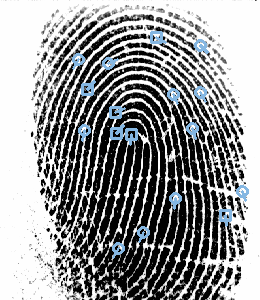
Probe with matching minutiae | 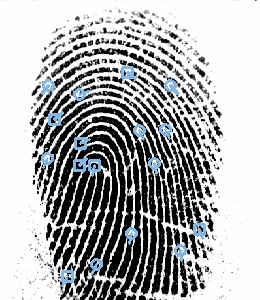
Gallery with matching minutiae |
Quality
Qualities provided for a fingerprint image and template:
-
Template quality is calculated from a fingerprint template. The quality is an integer number between 0 (blank image) and 100 (maximum quality). For enrollment, it is recommended to use only templates with quality > 30.
-
c++ICSExtractor extractor;auto tmpl = extractor.Extract(const uint8_t quality = tmpl->CalculateQuality();std::cout << " Template Quality == " << +quality << std::endl;
-
java ICSExtractor extractor = new ICSExtractor();Image img = Image.Decode(BinaryFile.ReadAll("assets/finger.png"));ExtractedPrint tmpl = extractor.Extract(Print.Create(img, PrintPosition.LEFT_INDEX));int quality = tmpl.CalculateQuality();System.out.println(" Template Quality == " + quality);
-
csharp Image img = Image.Decode(BinaryFile.ReadAll("assets/finger.png"));ICSExtractor extractor = new ICSExtractor();ExtractedPrint tmpl =extractor.Extract(Print.Create(img, PrintPosition.LEFT_INDEX));var quality = tmpl.CalculateQuality();System.Console.WriteLine(" Template Quality == {0}", quality);
-
c++
-
Presence image quality number is calculated as an area where presence of fingerprint is detected. The calculated value does not measure quality of the presented fingerprint pattern. Presence value is calculated from the fingerprint image. The range is from 0 (lowest quality) to 100 (highest quality).
-
c++const uint8_t presence = fp->CalculatePresence();std::cout << " Presence quality == " << +presence << std::endl;
-
java // Read file content via provided File classImage img = Image.Decode(BinaryFile.ReadAll("assets/finger.png"));Print fp = Print.Create(img, PrintPosition.LEFT_INDEX);byte presence = fp.CalculatePresence();System.out.println(" Presence Quality == " + presence);
-
csharp var img = Image.Decode(BinaryFile.ReadAll("assets/finger.png"));var fp = Print.Create(img, PrintPosition.LEFT_INDEX);var presence = fp.CalculatePresence();System.Console.WriteLine(" Presence Quality == {0}", presence);
-
c++
-
NFIQ image quality number is calculated in accordance with the general guidelines contained in Section 7.2.5 of ANSI/INCITS 381 standard (Section 8.3.7.3 Quality score of ISO/IEC 19794-4 international standard). Presence value is calculated from the fingerprint image. The range is from 1 (highest quality) to 5 (lowest quality).
-
c++const uint8_t nfiq1 = fp->CalculateNFIQ1();std::cout << " NFIQ quality == " << +nfiq1 << std::endl;
-
java Image img = Image.Decode(BinaryFile.ReadAll("assets/finger.png"));Print fp = Print.Create(img, PrintPosition.LEFT_INDEX);byte nfiq1 = fp.CalculateNFIQ1();System.out.println(" NFIQ1 Quality == " + nfiq1);
-
csharp var img = Image.Decode(BinaryFile.ReadAll("assets/finger.png"));var fp = Print.Create(img, PrintPosition.LEFT_INDEX);var nfiq1 = fp.CalculateNFIQ1();System.Console.WriteLine(" NFIQ1 Quality == {0}", nfiq1);
-
c++
-
NFIQ2 image quality number is calculated in accordance with the general guidelines contained in Section 7.2.5 of ANSI/INCITS 381 standard (Section 8.3.7.3 Quality score of ISO/IEC 19794-4 international standard). Presence value is calculated from the fingerprint image. The range is from 0 (lowest quality) to 100 (highest quality).
-
c++const uint8_t nfiq2 = fp->CalculateNFIQ2();std::cout << " NFIQ2 quality == " << +nfiq2 << std::endl;
-
java Image img = Image.Decode(BinaryFile.ReadAll("assets/finger.png"));Print fp = Print.Create(img, PrintPosition.LEFT_INDEX);byte nfiq2 = fp.CalculateNFIQ2();System.out.println(" NFIQ2 Quality == " + nfiq2);
-
csharp var img = Image.Decode(BinaryFile.ReadAll("assets/finger.png"));var fp = Print.Create(img, PrintPosition.LEFT_INDEX);var nfiq2 = fp.CalculateNFIQ2();System.Console.WriteLine(" NFIQ2 Quality == {0}", nfiq2);
-
c++
-
Image quality number is calculated in accordance with the general guidelines contained in Section 7.2.5 of ANSI/INCITS 381 standard Section 8.3.7.3 Quality score of ISO/IEC 19794-4 international standard). The range is from 0 (lowest quality) to 100 (highest quality).
-
c++const uint8_t imageQuality = fp->CalculateImageQuality();std::cout << " Image quality == " << +imageQuality << std::endl;
-
java Image img = Image.Decode(BinaryFile.ReadAll("assets/finger.png"));Print fp = Print.Create(img, PrintPosition.LEFT_INDEX);byte imageQuality = fp.CalculateImageQuality();System.out.println(" Image Quality == " + imageQuality);
-
csharp var img = Image.Decode(BinaryFile.ReadAll("assets/finger.png"));var fp = Print.Create(img, PrintPosition.LEFT_INDEX);var imageQuality = fp.CalculateImageQuality();System.Console.WriteLine(" Image Quality == {0}", imageQuality);
-
c++
-
Placement The placement score number ranges from 0 to 100 and represents the fitness of the finger placement, evaluated with respect to the detected fingerprint classification (arch, loop, whorl).
-
c++const uint8_t placement = fp->CalculatePlacement();std::cout << " Placement quality == " << +placement << std::endl;
-
java Image img = Image.Decode(BinaryFile.ReadAll("assets/finger.png"));Print fp = Print.Create(img, PrintPosition.LEFT_INDEX);byte placement = fp.CalculatePlacement();System.out.println(" Placement Quality == " + placement);
-
csharp var img = Image.Decode(BinaryFile.ReadAll("assets/finger.png"));var fp = Print.Create(img, PrintPosition.LEFT_INDEX);var placement = fp.CalculatePlacement();System.Console.WriteLine(" Placement Quality == {0}", placement);
-
c++
-
Intensity The intensity value is from 0 (lowest intensity, dry finger, low pressure) to 100 (highest intensity, wet finger, high pressure).
-
c++const uint8_t intensity = fp->CalculateIntensity();std::cout << " Image intensity == " << +intensity << std::endl;
-
java Image img = Image.Decode(BinaryFile.ReadAll("assets/finger.png"));Print fp = Print.Create(img, PrintPosition.LEFT_INDEX);byte intensity = fp.CalculateIntensity();System.out.println(" Intensity Quality == " + intensity);
-
csharp var img = Image.Decode(BinaryFile.ReadAll("assets/finger.png"));var fp = Print.Create(img, PrintPosition.LEFT_INDEX);var intensity = fp.CalculateIntensity();System.Console.WriteLine(" Image intensity == {0}", intensity);
-
c++
Minutiae
The SDK provides extracted minutiae from ICSTemplate and draw them into Image.
- The Minutia::Type::BIFURCATION is drawn as square.
- The Minutia::Type::RIDGE_ENDING is drawn as circle.
When default minutiae shape does not fit, you can draw own via image functionality.
- Note
- The adjudicator feature MUST be allowed in license to obtain minutiae from template.
-
c++ICSExtractor::SkeletonImage skeleton;ICSExtractor extractor;auto tmpl = extractor.Extract(fp, skeleton);auto minutiae = tmpl->GetMinutiae();auto skeletonWithMinutiae = skeleton.DrawMinutiae(minutiae, Shapes::InnoBlue);skeletonWithMinutiae->SaveAs("output/skeleton_with_minutiae.png");
-
java Image img = Image.Decode(BinaryFile.ReadAll("assets/finger.png"));Print fp = new Print(img, PrintPosition.LEFT_INDEX);ICSExtractor.SkeletonImage skeleton = new ICSExtractor.SkeletonImage();ICSExtractor extractor = new ICSExtractor();ExtractedPrint tmpl = extractor.Extract(fp, skeleton);Minutiae minutiae = tmpl.GetMinutiae();Image skeletonWithMinutiae = skeleton.DrawMinutiae(minutiae, Shapes.InnoBlue);skeletonWithMinutiae.SaveAs("output/skeleton_with_minutiae.png");
-
csharp Image img = Image.Decode(BinaryFile.ReadAll("assets/finger.png"));Print fp = new Print(img, PrintPosition.LEFT_INDEX);ICSExtractor.SkeletonImage skeleton = new ICSExtractor.SkeletonImage();ICSExtractor extractor = new ICSExtractor();ExtractedPrint tmpl = extractor.Extract(fp, skeleton);Minutiae minutiae = tmpl.GetMinutiae();Image skeletonWithMinutiae = skeleton.DrawMinutiae(minutiae, Shapes.InnoBlue);skeletonWithMinutiae.SaveAs("output/skeleton_with_minutiae.png");
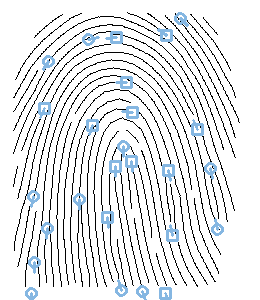
Minutiae
Critical Points
The SDK provides extracted core/deltas from ICSTemplate and draw them into Image.
- CriticalPoint::Type::CORE is drawn as circle.
- CriticalPoint::Type::DELTA is drawn as square.
When default critical point shape does not fit, you can draw own via image functionality.
- Note
- The adjudicator feature MUST be allowed in license to obtain critical points from template.
-
c++ICSExtractor extractor;auto tmpl = extractor.Extract(fp);auto points = tmpl->GetCriticalPoints();auto printWithPoints = fp->DrawCriticalPoints(points, Shapes::InnoBlue);printWithPoints->SaveAs("output/rolled_print_with_critical_points.png");
-
java Image img = Image.Decode(BinaryFile.ReadAll("assets/rolled_print.png"));Print fp = new Print(img, PrintPosition.LEFT_INDEX);ICSExtractor extractor = new ICSExtractor();ExtractedPrint tmpl = extractor.Extract(fp);CriticalPoints points = tmpl.GetCriticalPoints();Image printWithPoints = fp.DrawCriticalPoints(points, Shapes.InnoBlue);printWithPoints.SaveAs("output/rolled_print_with_critical_points.png");
-
csharp Image img = Image.Decode(BinaryFile.ReadAll("assets/rolled_print.png"));Print fp = new Print(img, PrintPosition.LEFT_INDEX);ICSExtractor extractor = new ICSExtractor();ExtractedPrint tmpl = extractor.Extract(fp);CriticalPoints points = tmpl.GetCriticalPoints();Image printWithPoints = fp.DrawCriticalPoints(points, Shapes.InnoBlue);printWithPoints.SaveAs("output/rolled_print_with_critical_points.png");
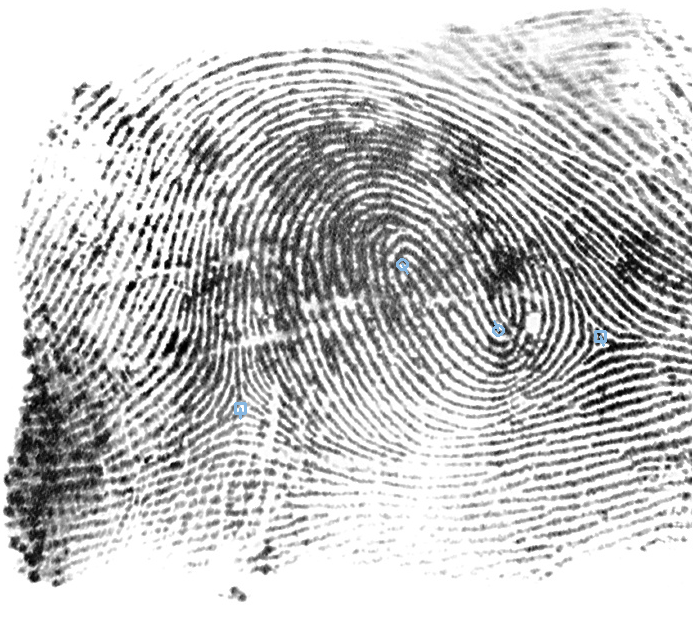
Critical Points
Template Conversions
ISO Template
It is possible to convert proprietary ICSTemplate to ISOTemplate version 2 with PrintAttributes via function ExtractedPrint::ToISO().
-
c++ICSExtractor extractor;auto tmpl = extractor.Extract(auto iso = tmpl->ToISO();std::cout << "ISO template version: " << iso->GetVersion() << std::endl;BinaryFile::WriteAll("output/template.iso", iso->data);
-
java Image img = Image.Decode(BinaryFile.ReadAll("assets/finger.png"));ICSExtractor extractor = new ICSExtractor();ExtractedPrint tmpl = extractor.Extract(Print.Create(img, PrintPosition.LEFT_INDEX));ISOTemplate iso = tmpl.ToISO();System.out.println("ISO template version: " + iso.GetVersion());BinaryFile.WriteAll("output/template.iso", iso.getData());
-
csharp Image img = Image.Decode(BinaryFile.ReadAll("assets/finger.png"));ICSExtractor extractor = new ICSExtractor();ExtractedPrint tmpl =extractor.Extract(Print.Create(img, PrintPosition.LEFT_INDEX));ISOTemplate iso = tmpl.ToISO();Console.WriteLine("ISO template version: " + iso.GetVersion());BinaryFile.WriteAll("output/template.iso", iso.data);
It is possible to convert ICSTemplate / ANSITemplate / ISOTemplate / ISONCTemplate / ISOCCTemplate / ILOSIDTemplate to ISOTemplate version 2/3 via ISOTemplateAdapter. The attributes are copied from adapted template if they are present in adapted template.
-
c++ICSExtractor extractor;auto extractedPrint = extractor.Extract(const ISOTemplateAdapter adapter(ISOTemplateAdapter::Version::VERSION_3);// ICS to ISO v30auto fromIcs = adapter.Adapt(*extractedPrint);BinaryFile::WriteAll("output/template_from_ics.isov3", fromIcs.data);// ANSI to ISO v30auto fromAnsi = adapter.Adapt(*extractedPrint->ToANSI());BinaryFile::WriteAll("output/template_from_ansi.isov3", fromAnsi.data);// ISO to ISO v30auto fromIso = adapter.Adapt(*extractedPrint->ToISO());BinaryFile::WriteAll("output/template_from_iso.isov3", fromIso.data);// ILOSID to ISO v30const ILOSIDTemplateAdapter ilosidAdapter;auto ilosid = ilosidAdapter.Adapt(*extractedPrint);auto fromIlosid = adapter.Adapt(ilosid);BinaryFile::WriteAll("output/template_from_ilosid.isov3", fromIlosid.data);// ISO CC to ISOconst ISOCCTemplateAdapter isoccAdapter;auto isocc = isoccAdapter.Adapt(*extractedPrint);auto fromIsocc = adapter.Adapt(isocc);BinaryFile::WriteAll("output/template_from_isocc.isov3", fromIsocc.data);// ISO NC to ISO v30const ISONCTemplateAdapter isoncAdapter;auto isonc = isoncAdapter.Adapt(*extractedPrint);auto fromIsonc = adapter.Adapt(isonc);BinaryFile::WriteAll("output/template_from_isonc.isov3", fromIsonc.data);
-
java Image img = Image.Decode(BinaryFile.ReadAll("assets/finger.png"));ICSExtractor extractor = new ICSExtractor();ExtractedPrint extractedPrint = extractor.Extract(Print.Create(img, PrintPosition.LEFT_INDEX));ISOTemplateAdapter adapter = new ISOTemplateAdapter(ISOTemplateAdapter.Version.VERSION_3);// ICS to ISO v30ISOTemplate fromIcs = adapter.Adapt(extractedPrint);BinaryFile.WriteAll("output/template_from_ics.isov3", fromIcs.getData());// ANSI to ISO v30BinaryFile.WriteAll("output/template_from_ansi.isov3", fromAnsi.getData());// ISO to ISO v30BinaryFile.WriteAll("output/template_from_iso.isov3", fromIso.getData());// ILOSID to ISO v30ILOSIDTemplateAdapter ilosidAdapter = new ILOSIDTemplateAdapter();ILOSIDTemplate ilosid = ilosidAdapter.Adapt(extractedPrint);ISOTemplate fromIlosid = adapter.Adapt(ilosid);BinaryFile.WriteAll("output/template_from_ilosid.isov3", fromIlosid.getData());// ISO CC to ISO v30ISOCCTemplateAdapter isoccAdapter = new ISOCCTemplateAdapter();ISOCCTemplate isocc = isoccAdapter.Adapt(extractedPrint);ISOTemplate fromIsocc = adapter.Adapt(isocc);BinaryFile.WriteAll("output/template_from_isocc.isov3", fromIsocc.getData());// ISO NC to ISO v30ISONCTemplateAdapter isoncAdapter = new ISONCTemplateAdapter();ISONCTemplate isonc = isoncAdapter.Adapt(extractedPrint);ISOTemplate fromIsonc = adapter.Adapt(isonc);BinaryFile.WriteAll("output/template_from_isonc.isov3", fromIsonc.getData());
-
csharp var img = Image.Decode(BinaryFile.ReadAll("assets/finger.png"));var extractor = new ICSExtractor();var extractedPrint =extractor.Extract(Print.Create(img, PrintPosition.LEFT_INDEX));var adapter = new ISOTemplateAdapter(ISOTemplateAdapter.Version.VERSION_3);// ICS to ISO v30var fromIcs = adapter.Adapt(extractedPrint);BinaryFile.WriteAll("output/template_from_ics.isov3", fromIcs.data);// ANSI to ISO v30var fromAnsi = adapter.Adapt(extractedPrint.ToANSI());BinaryFile.WriteAll("output/template_from_ansi.isov3", fromAnsi.data);// ISO to ISO v30var fromIso = adapter.Adapt(extractedPrint.ToISO());BinaryFile.WriteAll("output/template_from_iso.isov3", fromIso.data);// ILOSID to ISO v30var ilosidAdapter = new ILOSIDTemplateAdapter();var ilosid = ilosidAdapter.Adapt(extractedPrint);var fromIlosid = adapter.Adapt(ilosid);BinaryFile.WriteAll("output/template_from_ilosid.isov3", fromIlosid.data);// ISO CC to ISO v30var isoccAdapter = new ISOCCTemplateAdapter();var isocc = isoccAdapter.Adapt(extractedPrint);var fromIsocc = adapter.Adapt(isocc);BinaryFile.WriteAll("output/template_from_isocc.isov3", fromIsocc.data);// ISO NC to ISO v30var isoncAdapter = new ISONCTemplateAdapter();var isonc = isoncAdapter.Adapt(extractedPrint);var fromIsonc = adapter.Adapt(isonc);BinaryFile.WriteAll("output/template_from_isonc.isov3", fromIsonc.data);
ISO Image
It is possible to convert Print to ISO image compliant with ISO 19794-4:2011 and back from image to Print.
-
c++PrintAttributes pa;pa.SetCaptureDeviceVendorID(PrintCaptureDeviceVendorID(11));pa.SetCaptureDeviceTypeID(PrintCaptureDeviceTypeID(7));pa.SetCertificationFlag(true);std::cout << " Conversion Print to ISO image" << std::endl;auto encoder = PngImageEncoder();auto isoImage = fp->ToIsoImage(encoder);std::cout << " Conversion ISO to Print image" << std::endl;auto printImage = fp->FromIsoImage(isoImage);
-
java Image img = Image.Decode(BinaryFile.ReadAll("assets/finger.png"));PrintAttributes pa = new PrintAttributes();pa.SetImpression(PrintImpression.LIVE_SCAN_PLAIN);pa.SetCaptureDeviceTechnology(PrintCaptureDeviceTechnology.SEMICONDUCTOR_CAPACITIVE);pa.SetCaptureDeviceVendorID(new PrintCaptureDeviceVendorID(11));pa.SetCaptureDeviceTypeID(new PrintCaptureDeviceTypeID(7));pa.SetCertificationFlag(true);Print fp = Print.Create(img, PrintPosition.RIGHT_THUMB, pa);System.out.println(" Conversion Print to ISO image");PngImageEncoder encoder = new PngImageEncoder();Bytes isoImage = fp.ToIsoImage(encoder);System.out.println(" Conversion ISO to Print image");Print printImage = Print.FromIsoImage(isoImage);
-
csharp var img = Image.Decode(BinaryFile.ReadAll("assets/finger.png"));PrintAttributes pa = new PrintAttributes();pa.SetImpression(PrintImpression.LIVE_SCAN_PLAIN);PrintCaptureDeviceTechnology.SEMICONDUCTOR_CAPACITIVE);pa.SetCaptureDeviceVendorID(new PrintCaptureDeviceVendorID(11));pa.SetCaptureDeviceTypeID(new PrintCaptureDeviceTypeID(7));pa.SetCertificationFlag(true);var fp = Print.Create(img, PrintPosition.RIGHT_THUMB, pa);System.Console.WriteLine(" Conversion Print to ISO image");var encoder = new PngImageEncoder();var isoImage = fp.ToIsoImage(encoder);System.Console.WriteLine(" Conversion ISO to Print image");var printImage = Print.FromIsoImage(isoImage);
ANSI Template
It is possible to convert proprietary ICSTemplate to ANSITemplate with PrintAttributes via function ExtractedPrint::ToANSI().
-
c++ICSExtractor extractor;auto tmpl = extractor.Extract(auto ansi = tmpl->ToANSI();std::cout << "ANSI template version: " << ansi->GetVersion() << std::endl;BinaryFile::WriteAll("output/template.ansi", ansi->data);
-
java Image img = Image.Decode(BinaryFile.ReadAll("assets/finger.png"));ICSExtractor extractor = new ICSExtractor();ExtractedPrint tmpl = extractor.Extract(Print.Create(img, PrintPosition.LEFT_INDEX));ANSITemplate ansi = tmpl.ToANSI();System.out.println("ANSI template version: " + ansi.GetVersion());BinaryFile.WriteAll("output/template.ansi", ansi.getData());
-
csharp Image img = Image.Decode(BinaryFile.ReadAll("assets/finger.png"));ICSExtractor extractor = new ICSExtractor();ExtractedPrint tmpl =extractor.Extract(Print.Create(img, PrintPosition.LEFT_INDEX));ANSITemplate ansi = tmpl.ToANSI();Console.WriteLine("ANSI template version: " + ansi.GetVersion());BinaryFile.WriteAll("output/template.ansi", ansi.data);
It is possible to convert ICSTemplate / ISOTemplate / ISONCTemplate / ISOCCTemplate / ILOSIDTemplate to ANSITemplate via ANSITemplateAdapter. The attributes are copied from adapted template if they are present in adapted template.
-
c++ICSExtractor extractor;auto extractedPrint = extractor.Extract(const ANSITemplateAdapter adapter;// ICS to ANSIauto fromIcs = adapter.Adapt(*extractedPrint);BinaryFile::WriteAll("output/template_from_ics.ansi", fromIcs.data);// ISO to ANSIauto fromIso = adapter.Adapt(*extractedPrint->ToISO());BinaryFile::WriteAll("output/template_from_iso.ansi", fromIso.data);// ILOSID to ANSIconst ILOSIDTemplateAdapter ilosidAdapter;auto ilosid = ilosidAdapter.Adapt(*extractedPrint);auto fromIlosid = adapter.Adapt(ilosid);BinaryFile::WriteAll("output/template_from_ilosid.ansi", fromIlosid.data);// ISO CC to ANSIconst ISOCCTemplateAdapter isoccAdapter;auto isocc = isoccAdapter.Adapt(*extractedPrint);auto fromIsocc = adapter.Adapt(isocc);BinaryFile::WriteAll("output/template_from_isocc.ansi", fromIsocc.data);// ISO NC to ANSIconst ISONCTemplateAdapter isoncAdapter;auto isonc = isoncAdapter.Adapt(*extractedPrint);auto fromIsonc = adapter.Adapt(isonc);BinaryFile::WriteAll("output/template_from_isonc.ansi", fromIsonc.data);
-
java Image img = Image.Decode(BinaryFile.ReadAll("assets/finger.png"));ICSExtractor extractor = new ICSExtractor();ExtractedPrint extractedPrint = extractor.Extract(Print.Create(img, PrintPosition.LEFT_INDEX));ANSITemplateAdapter adapter = new ANSITemplateAdapter();// ICS to ANSIANSITemplate fromIcs = adapter.Adapt(extractedPrint);BinaryFile.WriteAll("output/template_from_ics.ansi", fromIcs.getData());// ISO to ANSIBinaryFile.WriteAll("output/template_from_iso.ansi", fromIso.getData());// ILOSID to ANSIILOSIDTemplateAdapter ilosidAdapter = new ILOSIDTemplateAdapter();ILOSIDTemplate ilosid = ilosidAdapter.Adapt(extractedPrint);ANSITemplate fromIlosid = adapter.Adapt(ilosid);BinaryFile.WriteAll("output/template_from_ilosid.ansi", fromIlosid.getData());// ISO CC to ANSIISOCCTemplateAdapter isoccAdapter = new ISOCCTemplateAdapter();ISOCCTemplate isocc = isoccAdapter.Adapt(extractedPrint);ANSITemplate fromIsocc = adapter.Adapt(isocc);BinaryFile.WriteAll("output/template_from_isocc.ansi", fromIsocc.getData());// ISO NC to ANSIISONCTemplateAdapter isoncAdapter = new ISONCTemplateAdapter();ISONCTemplate isonc = isoncAdapter.Adapt(extractedPrint);ANSITemplate fromIsonc = adapter.Adapt(isonc);BinaryFile.WriteAll("output/template_from_isonc.ansi", fromIsonc.getData());
-
csharp var img = Image.Decode(BinaryFile.ReadAll("assets/finger.png"));var extractor = new ICSExtractor();var extractedPrint =extractor.Extract(Print.Create(img, PrintPosition.LEFT_INDEX));var adapter = new ANSITemplateAdapter();// ICS to ANSIvar fromIcs = adapter.Adapt(extractedPrint);BinaryFile.WriteAll("output/template_from_ics.ansi", fromIcs.data);// ISO to ANSIvar fromIso = adapter.Adapt(extractedPrint.ToISO());BinaryFile.WriteAll("output/template_from_iso.ansi", fromIso.data);// ILOSID to ANSIvar ilosidAdapter = new ILOSIDTemplateAdapter();var ilosid = ilosidAdapter.Adapt(extractedPrint);var fromIlosid = adapter.Adapt(ilosid);BinaryFile.WriteAll("output/template_from_ilosid.ansi", fromIlosid.data);// ISO CC to ANSIvar isoccAdapter = new ISOCCTemplateAdapter();var isocc = isoccAdapter.Adapt(extractedPrint);var fromIsocc = adapter.Adapt(isocc);BinaryFile.WriteAll("output/template_from_isocc.ansi", fromIsocc.data);// ISO NC to ANSIvar isoncAdapter = new ISONCTemplateAdapter();var isonc = isoncAdapter.Adapt(extractedPrint);var fromIsonc = adapter.Adapt(isonc);BinaryFile.WriteAll("output/template_from_isonc.ansi", fromIsonc.data);
ILO SID Template
International Labour Organisation Seafarers Identity Document template.
It is possible to convert ICSTemplate / ANSITemplate / ISOTemplate / ISONCTemplate / ISOCCTemplate to ILOSIDTemplate via ILOSIDTemplateAdapter.
-
c++ICSExtractor extractor;auto extractedPrint = extractor.Extract(const ILOSIDTemplateAdapter adapter;// ICS to ILO SIDauto fromIcs = adapter.Adapt(*extractedPrint);BinaryFile::WriteAll("output/template_from_ics.ilosid", fromIcs.GetData());// ANSI to ILO SIDauto fromAnsi = adapter.Adapt(*extractedPrint->ToANSI());BinaryFile::WriteAll("output/template_from_ansi.ilosid", fromAnsi.GetData());// ISO to ILO SIDauto fromIso = adapter.Adapt(*extractedPrint->ToISO());BinaryFile::WriteAll("output/template_from_iso.ilosid", fromIso.GetData());// ISO NC to ILO SIDconst ISONCTemplateAdapter isoncAdapter;auto isonc = isoncAdapter.Adapt(*extractedPrint);auto fromIsonc = adapter.Adapt(isonc);BinaryFile::WriteAll("output/template_from_isonc.ilosid", fromIsonc.GetData());// ISO CC to ILO SIDconst ISOCCTemplateAdapter isoccAdapter;auto isocc = isoccAdapter.Adapt(*extractedPrint);auto fromIsocc = adapter.Adapt(isocc);BinaryFile::WriteAll("output/template_from_isocc.ilosid", fromIsocc.GetData());
-
java Image img = Image.Decode(BinaryFile.ReadAll("assets/finger.png"));ICSExtractor extractor = new ICSExtractor();ExtractedPrint extractedPrint = extractor.Extract(Print.Create(img, PrintPosition.LEFT_INDEX));ILOSIDTemplateAdapter adapter = new ILOSIDTemplateAdapter();// ICS to ILO SIDILOSIDTemplate fromIcs = adapter.Adapt(extractedPrint);BinaryFile.WriteAll("output/template_from_ics.ilosid", fromIcs.GetData());// ANSI to ILO SIDBinaryFile.WriteAll("output/template_from_ansi.ilosid", fromAnsi.GetData());// ISO to ILO SIDBinaryFile.WriteAll("output/template_from_iso.ilosid", fromIso.GetData());// ISO NC to ILO SIDISONCTemplateAdapter isoncAdapter = new ISONCTemplateAdapter();ISONCTemplate isonc = isoncAdapter.Adapt(extractedPrint);ILOSIDTemplate fromIlosid = adapter.Adapt(isonc);BinaryFile.WriteAll("output/template_from_isonc.ilosid", fromIlosid.GetData());// ISO CC to ILOSIDISOCCTemplateAdapter isoccAdapter = new ISOCCTemplateAdapter();ISOCCTemplate isocc = isoccAdapter.Adapt(extractedPrint);ILOSIDTemplate fromIsocc = adapter.Adapt(isocc);BinaryFile.WriteAll("output/template_from_isocc.ilosid", fromIsocc.GetData());
-
csharp var img = Image.Decode(BinaryFile.ReadAll("assets/finger.png"));var extractor = new ICSExtractor();var extractedPrint =extractor.Extract(Print.Create(img, PrintPosition.LEFT_INDEX));var adapter = new ILOSIDTemplateAdapter();// ICS to ILO SIDvar fromIcs = adapter.Adapt(extractedPrint);BinaryFile.WriteAll("output/template_from_ics.ilosid", fromIcs.GetData());// ANSI to ILO SIDvar fromAnsi = adapter.Adapt(extractedPrint.ToANSI());BinaryFile.WriteAll("output/template_from_ansi.ilosid", fromAnsi.GetData());// ISO to ILO SIDvar fromIso = adapter.Adapt(extractedPrint.ToISO());BinaryFile.WriteAll("output/template_from_iso.ilosid", fromIso.GetData());// ISO NC to ILO SIDvar isoncAdapter = new ISONCTemplateAdapter();var isonc = isoncAdapter.Adapt(extractedPrint);var fromIsonc = adapter.Adapt(isonc);BinaryFile.WriteAll("output/template_from_isonc.ilosid", fromIsonc.GetData());// ISO CC to ILO SIDvar isoccAdapter = new ISOCCTemplateAdapter();var isocc = isoccAdapter.Adapt(extractedPrint);var fromIsocc = adapter.Adapt(isocc);BinaryFile.WriteAll("output/template_from_isocc.ilosid", fromIsocc.GetData());
ISO NC Template
ISO/IEC 19794-2:2005 template, template version 2.0, 5-byte format for minutiae (normal card encoding).
It is possible to convert ICSTemplate / ANSITemplate / ISOTemplate / ILOSIDTemplate / ISOCCTemplate to ISONCTemplate via ISONCTemplateAdapter.
-
c++ICSExtractor extractor;auto extractedPrint = extractor.Extract(const ISONCTemplateAdapter adapter;// ICS to ISO NCauto fromIcs = adapter.Adapt(*extractedPrint);BinaryFile::WriteAll("output/template_from_ics.isonc", fromIcs.GetData());// ANSI to ISO NCauto fromAnsi = adapter.Adapt(*extractedPrint->ToANSI());BinaryFile::WriteAll("output/template_from_ansi.isonc", fromAnsi.GetData());// ISO to ISO NCauto fromIso = adapter.Adapt(*extractedPrint->ToISO());BinaryFile::WriteAll("output/template_from_iso.isonc", fromIso.GetData());// ILOSID to ISO NCconst ILOSIDTemplateAdapter ilosidAdapter;auto ilosid = ilosidAdapter.Adapt(*extractedPrint);auto fromIlosid = adapter.Adapt(ilosid);BinaryFile::WriteAll("output/template_from_ilosid.isonc", fromIlosid.GetData());// ISO CC to ISO NCconst ISOCCTemplateAdapter isoccAdapter;auto isocc = isoccAdapter.Adapt(*extractedPrint);auto fromIsocc = adapter.Adapt(isocc);BinaryFile::WriteAll("output/template_from_isocc.isonc", fromIsocc.GetData());
-
java Image img = Image.Decode(BinaryFile.ReadAll("assets/finger.png"));ICSExtractor extractor = new ICSExtractor();ExtractedPrint extractedPrint = extractor.Extract(Print.Create(img, PrintPosition.LEFT_INDEX));ISONCTemplateAdapter adapter = new ISONCTemplateAdapter();// ICS to ISO NCISONCTemplate fromIcs = adapter.Adapt(extractedPrint);BinaryFile.WriteAll("output/template_from_ics.isonc", fromIcs.GetData());// ANSI to ISO NCBinaryFile.WriteAll("output/template_from_ansi.isonc", fromAnsi.GetData());// ISO to ISO NCBinaryFile.WriteAll("output/template_from_iso.isonc", fromIso.GetData());// ILOSID to ISO NCILOSIDTemplateAdapter ilosidAdapter = new ILOSIDTemplateAdapter();ILOSIDTemplate ilosid = ilosidAdapter.Adapt(extractedPrint);ISONCTemplate fromIlosid = adapter.Adapt(ilosid);BinaryFile.WriteAll("output/template_from_ilosid.isonc", fromIlosid.GetData());// ISO CC to ISO NCISOCCTemplateAdapter isoccAdapter = new ISOCCTemplateAdapter();ISOCCTemplate isocc = isoccAdapter.Adapt(extractedPrint);ISONCTemplate fromIsocc = adapter.Adapt(isocc);BinaryFile.WriteAll("output/template_from_isocc.isonc", fromIsocc.GetData());
-
csharp var img = Image.Decode(BinaryFile.ReadAll("assets/finger.png"));var extractor = new ICSExtractor();var extractedPrint =extractor.Extract(Print.Create(img, PrintPosition.LEFT_INDEX));var adapter = new ISONCTemplateAdapter();// ICS to ISO NCvar fromIcs = adapter.Adapt(extractedPrint);BinaryFile.WriteAll("output/template_from_ics.isonc", fromIcs.GetData());// ANSI to ISO NCvar fromAnsi = adapter.Adapt(extractedPrint.ToANSI());BinaryFile.WriteAll("output/template_from_ansi.isonc", fromAnsi.GetData());// ISO to ISO NCvar fromIso = adapter.Adapt(extractedPrint.ToISO());BinaryFile.WriteAll("output/template_from_iso.isonc", fromIso.GetData());// ILOSID to ISO NCvar ilosidAdapter = new ILOSIDTemplateAdapter();var ilosid = ilosidAdapter.Adapt(extractedPrint);var fromIlosid = adapter.Adapt(ilosid);BinaryFile.WriteAll("output/template_from_ilosid.isonc", fromIlosid.GetData());// ISO CC to ISO NCvar isoccAdapter = new ISOCCTemplateAdapter();var isocc = isoccAdapter.Adapt(extractedPrint);var fromIsocc = adapter.Adapt(isocc);BinaryFile.WriteAll("output/template_from_isocc.isonc", fromIsocc.GetData());
ISO CC Template
ISO/IEC 19794-2:2005 template, template version 2.0, 3-byte format for minutiae (compact card encoding).
It is possible to convert ICSTemplate / ANSITemplate / ISOTemplate / ILOSIDTemplate / ISONCTemplate to ISOCCTemplate via ISOCCTemplateAdapter.
-
c++ICSExtractor extractor;auto extractedPrint = extractor.Extract(const ISOCCTemplateAdapter adapter;// ICS to ISO CCauto fromIcs = adapter.Adapt(*extractedPrint);BinaryFile::WriteAll("output/template_from_ics.isocc", fromIcs.GetData());// ANSI to ISO CCauto fromAnsi = adapter.Adapt(*extractedPrint->ToANSI());BinaryFile::WriteAll("output/template_from_ansi.isocc", fromAnsi.GetData());// ISO to ISO CCauto fromIso = adapter.Adapt(*extractedPrint->ToISO());BinaryFile::WriteAll("output/template_from_iso.isocc", fromIso.GetData());// ILOSID to ISO CCconst ILOSIDTemplateAdapter ilosidAdapter;auto ilosid = ilosidAdapter.Adapt(*extractedPrint);auto fromIlosid = adapter.Adapt(ilosid);BinaryFile::WriteAll("output/template_from_ilosid.isocc", fromIlosid.GetData());// ISO NC to ISO CCconst ISONCTemplateAdapter isoncAdapter;auto isonc = isoncAdapter.Adapt(*extractedPrint);auto fromIsonc = adapter.Adapt(isonc);BinaryFile::WriteAll("output/template_from_isonc.isocc", fromIsonc.GetData());
-
java Image img = Image.Decode(BinaryFile.ReadAll("assets/finger.png"));ICSExtractor extractor = new ICSExtractor();ExtractedPrint extractedPrint = extractor.Extract(Print.Create(img, PrintPosition.LEFT_INDEX));ISOCCTemplateAdapter adapter = new ISOCCTemplateAdapter();// ICS to ISO CCISOCCTemplate fromIcs = adapter.Adapt(extractedPrint);BinaryFile.WriteAll("output/template_from_ics.isocc", fromIcs.GetData());// ANSI to ISO CCBinaryFile.WriteAll("output/template_from_ansi.isocc", fromAnsi.GetData());// ISO to ISO CCBinaryFile.WriteAll("output/template_from_iso.isocc", fromIso.GetData());// ILOSID to ISO CCILOSIDTemplateAdapter ilosidAdapter = new ILOSIDTemplateAdapter();ILOSIDTemplate ilosid = ilosidAdapter.Adapt(extractedPrint);ISOCCTemplate fromIlosid = adapter.Adapt(ilosid);BinaryFile.WriteAll("output/template_from_ilosid.isocc", fromIlosid.GetData());// ISO NC to ISO CCISONCTemplateAdapter isoncAdapter = new ISONCTemplateAdapter();ISONCTemplate isonc = isoncAdapter.Adapt(extractedPrint);ISOCCTemplate fromIsonc = adapter.Adapt(isonc);BinaryFile.WriteAll("output/template_from_isonc.isocc", fromIsonc.GetData());
-
csharp var img = Image.Decode(BinaryFile.ReadAll("assets/finger.png"));var extractor = new ICSExtractor();var extractedPrint =extractor.Extract(Print.Create(img, PrintPosition.LEFT_INDEX));var adapter = new ISOCCTemplateAdapter();// ICS to ISO CCvar fromIcs = adapter.Adapt(extractedPrint);BinaryFile.WriteAll("output/template_from_ics.isocc", fromIcs.GetData());// ANSI to ISO CCvar fromAnsi = adapter.Adapt(extractedPrint.ToANSI());BinaryFile.WriteAll("output/template_from_ansi.isocc", fromAnsi.GetData());// ISO to ISO CCvar fromIso = adapter.Adapt(extractedPrint.ToISO());BinaryFile.WriteAll("output/template_from_iso.isocc", fromIso.GetData());// ILOSID to ISO CCvar ilosidAdapter = new ILOSIDTemplateAdapter();var ilosid = ilosidAdapter.Adapt(extractedPrint);var fromIlosid = adapter.Adapt(ilosid);BinaryFile.WriteAll("output/template_from_ilosid.isocc", fromIlosid.GetData());// ISO NC to ISO CCvar isoncAdapter = new ISONCTemplateAdapter();var isonc = isoncAdapter.Adapt(extractedPrint);var fromIsonc = adapter.Adapt(isonc);BinaryFile.WriteAll("output/template_from_isonc.isocc", fromIsonc.GetData());
It is possible to limit and modify minutiae order in ISOCCTemplate.
- c++
-
java Image img = Image.Decode(BinaryFile.ReadAll("assets/finger.png"));ICSExtractor extractor = new ICSExtractor();ExtractedPrint extractedPrint = extractor.Extract(Print.Create(img, PrintPosition.LEFT_INDEX));ISOCCTemplateAdapter adapter = new ISOCCTemplateAdapter(5,ISOCCTemplateAdapter.MinutiaSortOrder.X_ASC,ISOCCTemplateAdapter.MinutiaSortOrder.NONE);// ICS to Limited ISO CCISOCCTemplate fromIcs = adapter.Adapt(extractedPrint);BinaryFile.WriteAll("output/template_from_ics.limited_isocc", fromIcs.GetData());
-
csharp var img = Image.Decode(BinaryFile.ReadAll("assets/finger.png"));var extractor = new ICSExtractor();var extractedPrint =extractor.Extract(Print.Create(img, PrintPosition.LEFT_INDEX));var adapter =new ISOCCTemplateAdapter(5, ISOCCTemplateAdapter.MinutiaSortOrder.X_ASC,ISOCCTemplateAdapter.MinutiaSortOrder.NONE);// ICS to Limited ISO CCvar fromIcs = adapter.Adapt(extractedPrint);BinaryFile.WriteAll("output/template_from_ics.limited_isocc", fromIcs.GetData());
Load template
It is possible to load previously created template to make e.g. verification against enrolling Applicant.
-
c++auto tmpl = ICSTemplate(BinaryFile::ReadAll("assets/template.ics"));std::cout << " ICS template version: " << tmpl.GetVersion() << std::endl;// Template was exported from IDKit with function IEngine_ExportUserTemplate with// FORMAT_ICS and contains only one fingerprintauto tmplFromIDkit =ICSTemplate(BinaryFile::ReadAll("assets/idkit_template.ics"));std::cout << " IDKit ICS template version: " << tmplFromIDkit.GetVersion()<< std::endl;
-
java ICSTemplate tmpl = new ICSTemplate(BinaryFile.ReadAll("assets/template.ics"));System.out.println(" ICS template version: " + tmpl.GetVersion());// Template was exported from IDKit with function IEngine_ExportUserTemplate with// FORMAT_ICS and contains only one fingerprintICSTemplate tmplFromIDkit = new ICSTemplate(BinaryFile.ReadAll("assets/idkit_template.ics"));System.out.println(" IDKit ICS template version: " + tmplFromIDkit.GetVersion());
-
csharp ICSTemplate tmpl = new ICSTemplate(BinaryFile.ReadAll("assets/template.ics"));Console.WriteLine(" ICS template version: " + tmpl.GetVersion());// Template was exported from IDKit with function IEngine_ExportUserTemplate with// FORMAT_ICS and contains only one fingerprintICSTemplate tmplFromIDkit =new ICSTemplate(BinaryFile.ReadAll("assets/idkit_template.ics"));Console.WriteLine(" IDKit ICS template version: " + tmplFromIDkit.GetVersion());