Digital Identity Detail
The detail view is where an operator inspects one verification in full and acts on it. It presents the captured data, the evidence behind the decision, and the actions available for the current state.
At a glance
The top of the page shows the essentials: the portrait, the person's name, the verification's state (color-coded — green accepted, amber review, red rejected), and whether this identity is the Customer's primary identity or a later attempt. Below sit the Personal data (from OCR) and Document data panels.
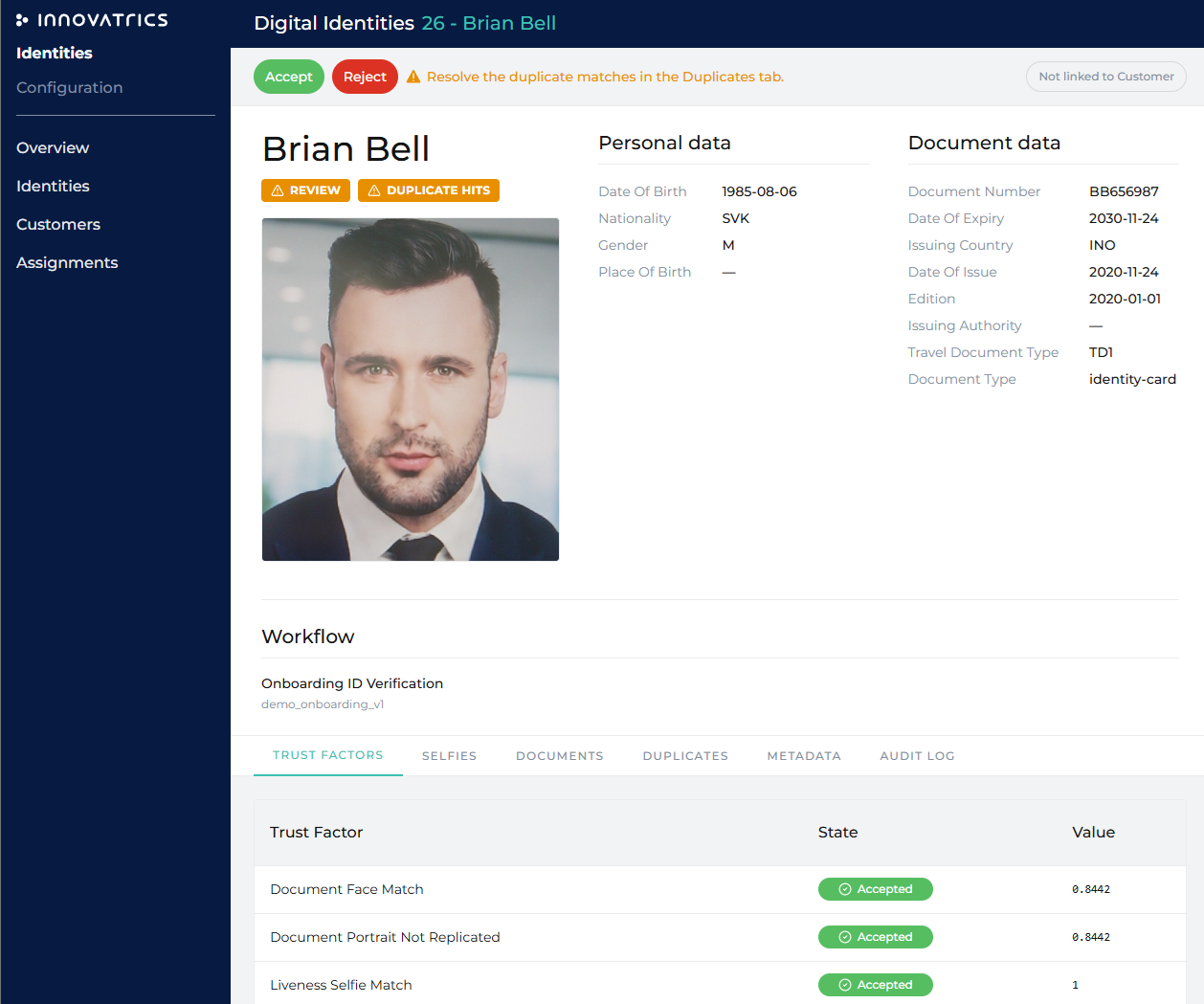
Action panel
Which actions appear depends on the verification's state and the operator's role:
| State | Available actions |
|---|---|
| Review | Accept, Reject (Operator, Supervisor, Administrator). |
| Accepted / Rejected | Reset to Review (Supervisor, Administrator). |
| Rejected | Put on Blocklist (Supervisor, Administrator). |
| Has duplicates | Resolve in the Duplicates tab — Resolve as Unique, Merge with Selected duplicate, Merge with Blocklist, Put as new on Blocklist. |
| Any (non-Incomplete) | Anonymize (Supervisor, Administrator; irreversible). |
See Manual Review for how these decisions play out.
Tabs
Only the tabs that have something to show for this identity appear — an authentication identity has no Documents tab, an onboarding identity without duplicity check has no Duplicates tab, and the Matching tab appears only when a comparison was actually made (a workflow that ended before its matching step has none).
| Tab | Contents |
|---|---|
| Trust Factors | Every Trust Factor evaluated, with its status and value — the "why" behind the decision. |
| Selfies | The original selfie, the document portrait, the chip portrait (when the document chip was read) and the liveness images of an active liveness capture, full-resolution with zoom. |
| Documents | Document type and extracted data, cropped and original images, and document-specific checks. |
| Palms | The enrolled palms, left then right, zoomable — tenants with palm verification enabled. |
| Duplicates | Every duplicity check hit with its face score and document score side by side and a badge with the combined outcome (full hit, similar face, similar name, …), plus the side-by-side face comparison and the resolution controls. Hits found by the document search and by the face search appear in one list. |
| Matching | Side-by-side comparison of an authentication case against the master record: a faces section, a palms section (with the hand indicated) and the session metadata. Only the modalities that were compared are shown. |
| Metadata | Session context — created time, workflow, external reference, IP/location, device. |
| Audit log | Every action taken on this record, with actor and timestamp. |