Settings Overview
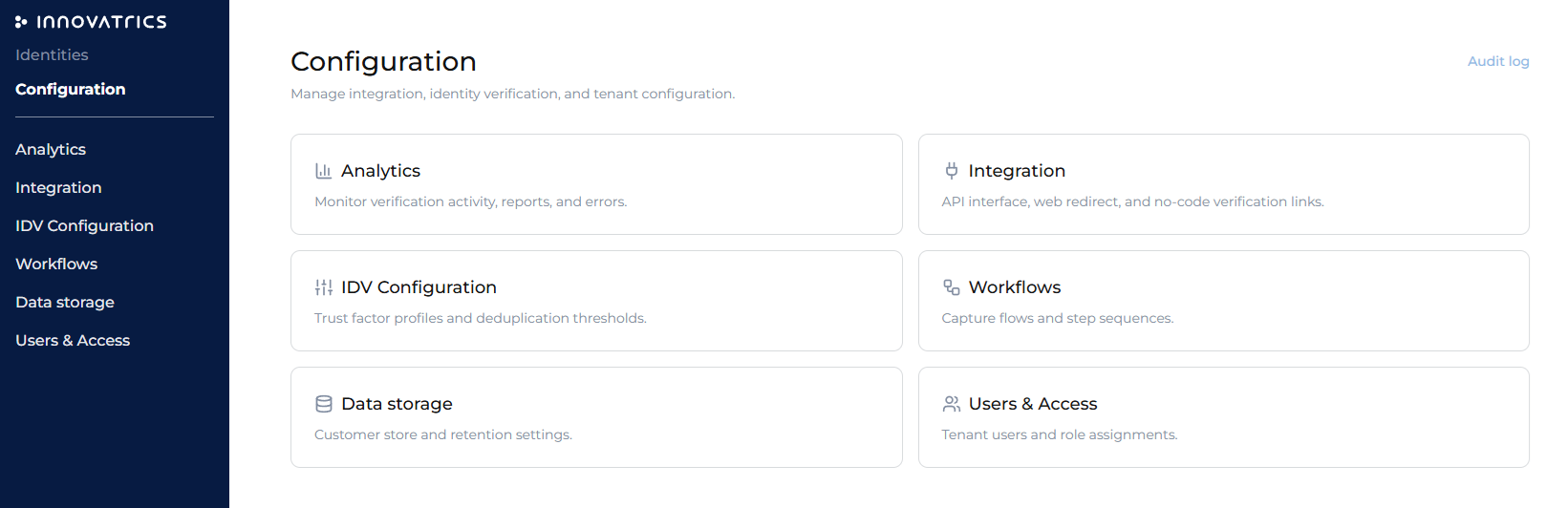
The settings area is where an Administrator configures how the tenant behaves — what documents are accepted, how decisions are made, which workflows run, how data is stored, who has access, and how other systems connect. It sits in the same dashboard as the back office and shares its sign-in.
Sections
| Section | Covers |
|---|---|
| Analytics | Verification activity, reports and error analysis. The figures are read fresh each time a tab is opened. |
| Integration | API credentials, web redirect, and webhook setup — see Integration Settings. |
| IDV Configuration | Trust Factor profiles, duplicity check rules, and accepted documents — see IDV Configuration. |
| Workflows | Author, fork, validate, and publish workflows — see Workflow Settings. |
| Features | Optional features the Company switches on itself, such as palm verification — see Data Storage & Features, which also covers the features licensed by Innovatrics. |
| Users & Access | User management, roles, and SSO — see Users & Access. |
Environment switcher
A persistent Sandbox / Production indicator in the top bar is the single source of truth for which environment a settings page reads and writes. Every configuration is kept separately per environment, so a Company can experiment in Sandbox and go live when ready. Sandbox is limited in verifications and days, and the one-way switch to Production is made by Innovatrics — see Environments.
Dashboard language
Each user picks the language of the dashboard in the user menu of the side bar: English, Español, Português or Slovenčina. The choice is saved with the user's profile, so it follows them to another browser or device.
Who can access settings
| Role | Settings access |
|---|---|
| Administrator | Full access to all settings. |
| Supervisor | Selected sections. |
| Operator | None — back office only. |
Auditing
Every settings change is written to an audit log with actor, timestamp, and what changed — reachable from the settings landing page and from each page.