Video Manager
The Video Manager enables face detection and identification from pre-recorded video footage. It includes video processing tools, video storage and a video player. Videos are processed as any other type of evidence: they can be uploaded to a case, and the platform processes them automatically – every face of acceptable quality is detected and every person known to ABIS is identified.
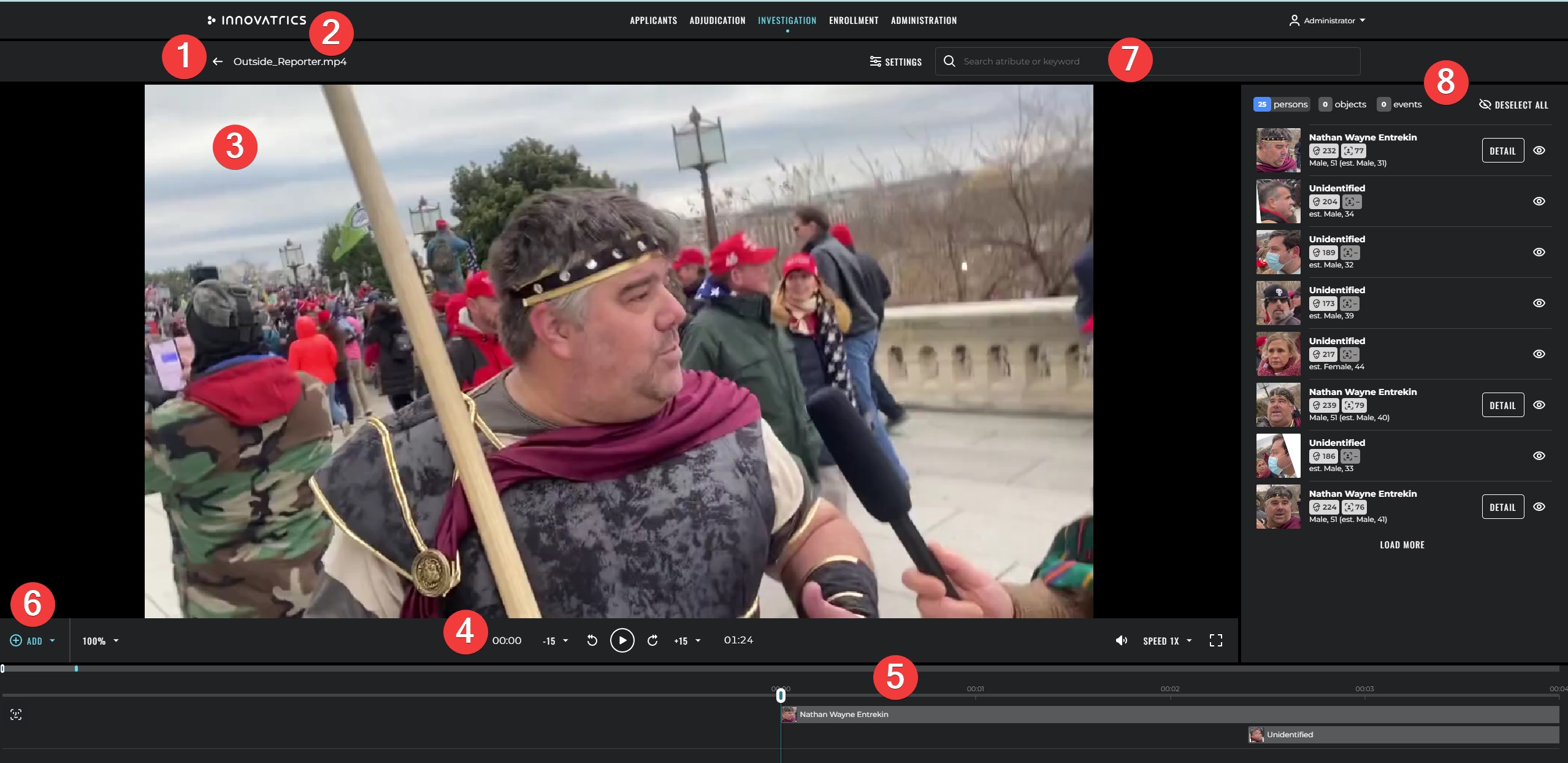
Key features
-
Faster-than-real-time processing – face detection and person identification run faster than the time it takes to play the video at standard speed. This makes the work of video investigators considerably faster and more effective.
-
Video player – standard playback controls on top of the timeline view.
-
Integration with enrolled persons – when a person from the criminal galleries is identified in the video, a link to the applicant detail is created automatically.
-
Time-of-occurrence navigation – jump to the exact second where a given person appears.

-
List of detected faces – every face detected in the video is shown as a thumbnail, with basic information about the person (when identified) and a link to the applicant detail.
-
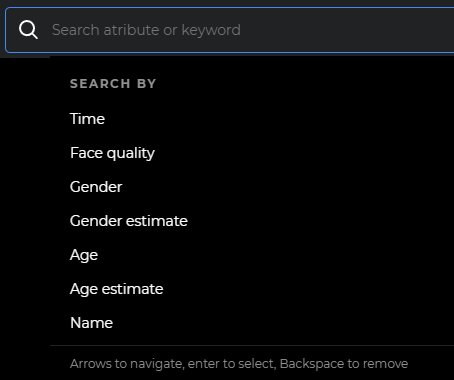
Filtering options:
- name – any substring search on the identified person's name,
- time – time range within the video,
- face quality – from poor to excellent,
- gender estimate – computed by the face detection algorithm,
- gender – read from the matched applicant record,
- age estimate – computed by the face detection algorithm,
- age – read from the matched applicant's date of birth.
-
Annotations – examiners can add object and event annotations to highlight a specific moment in the video.
-
Timeline – occurrences of every person are displayed on a time bar with the person's name when known, allowing quick navigation by occurrence and by annotation.
Video processing
The platform can process several videos in parallel and is tuned for high throughput.
The following parameters can be set before processing:
- Coarse-grained detection frequency – how often a new face occurrence should be sought.
- Fine-grained detection frequency – how far before and after an occurrence to look for the same person.
- Confidence threshold – the threshold above which a detected object is considered a face.
- Max face size / Min face size – maximum / minimum eye distance in pixels.
- Max faces – maximum number of faces that can occur in one frame.
When an occurrence of a person is identified, a new applicant is created in the case gallery containing the facial photographs from the video. Additionally, the following attributes are stored:
- quality of each facial photograph,
- time in the video when the occurrence started and when it ended,
- coordinates of the bounding rectangles per frame so that they can be visualised during playback,
- estimated age of the person (computed by the facial detection algorithm),
- estimated gender of the person (computed by the facial detection algorithm).
Person view in Case Management
The deep integration of the Video Manager with Criminal Case Management allows the Case Management UI to expose a Person view. Person view groups all evidences (across all uploaded videos of the case) by the identified person; each person is represented by a single thumbnail that opens a list of every occurrence of that person, in every video of the case.
This view is invaluable for investigations involving large amounts of CCTV or body-worn camera footage – the investigator no longer needs to manually correlate occurrences across files, the system does it for them.
Storage
Video files and their derived artefacts (thumbnails, detected faces, processing metadata) are stored in the same storage backend used by the rest of Case Management. The storage backend is S3-compatible and supports retention policies, encryption at rest and lifecycle management.