Web Supervisor and Audit
The Web Supervisor is a web-based user interface for record browsing, system administration, audit-log inspection and monitoring. In a Criminal Investigation deployment it is used by supervisors, internal auditors and system administrators – the actual investigation work is performed in the dedicated forensic UI.
Capabilities
-
Record browsing – search, filter and sort over criminal records, cases and evidences. Supports advanced query operators and saved views.
-
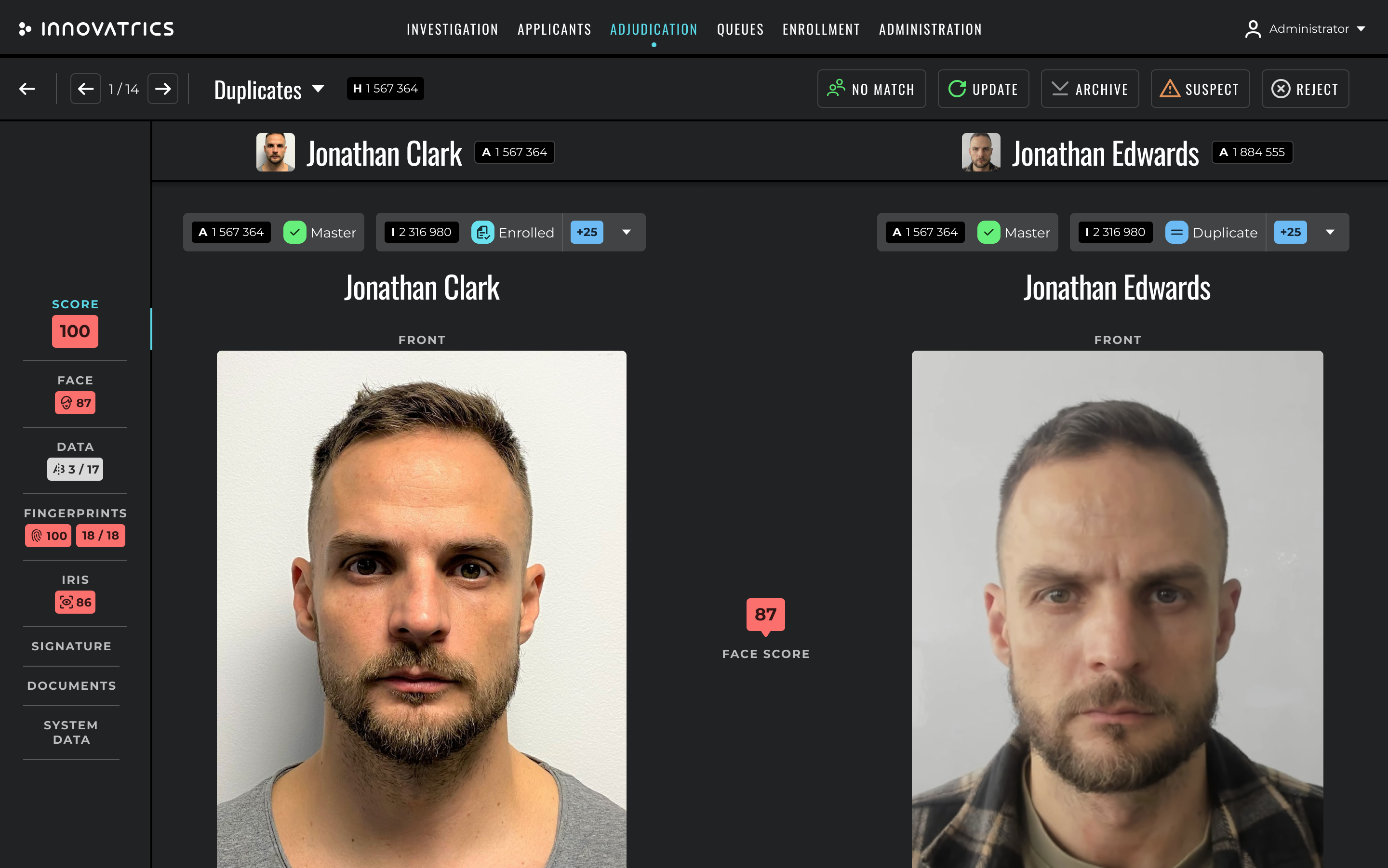
Split-screen – compare two records side-by-side without using the Comparison Tool, for quick supervisor reviews.
-
Adjudication – act on hitlists waiting in the resolve queues, with full visibility of every related record.
-
Instant search – quick top-bar search across the entire database (configurable scope: criminal records, cases, evidences, examinations, hits).
-
Audit log inspection – every action performed in any module is recorded with the user, timestamp and full context. The supervisor UI exposes a structured browser over this log.
-
System administration – user management, role management, code-tables management, language management, configuration of workflows and configurable forms.
-
Monitoring dashboards – throughput, latency, queue depth, gallery size, hit rate, examiner workload.
Personal cases for supervisors
Supervisors have personal cases like every other user. The personal case can be used for ad-hoc reviews of evidence (for example to validate the work of a junior examiner without contaminating the shared case).
Audit fundamentals
The audit log is append-only and is stored in the Data Service. Every entry contains:
- the timestamp,
- the user (or the OAuth client) that performed the action,
- the verb (CREATE / READ / UPDATE / DELETE / LOGIN / etc.),
- the entity that was affected (with its identifier),
- the request payload (or a summary if the payload is too large),
- the response status,
- the IP address and user agent of the caller.
Audit entries are immutable. They are retained according to the agency's retention policy and can be exported in JSON or CSV format.
Roles and permissions
Roles and permissions are configured in the Authorization Service and enforced consistently across all modules and APIs. Typical role examples in a criminal deployment are:
- Investigator – can create cases, upload evidence, create examinations, run identification.
- Examiner – can perform Analysis / Comparison / Evaluation on assigned examinations, record hits.
- Verification Examiner – can perform blind verification of examinations.
- Supervisor – read-only access to all cases, plus full access to the audit log.
- Administrator – manage users, roles, code tables and workflow configuration.
The list of roles is configurable; OPA-style policy rules can be plugged in for fine-grained access control.