Comparison Tool
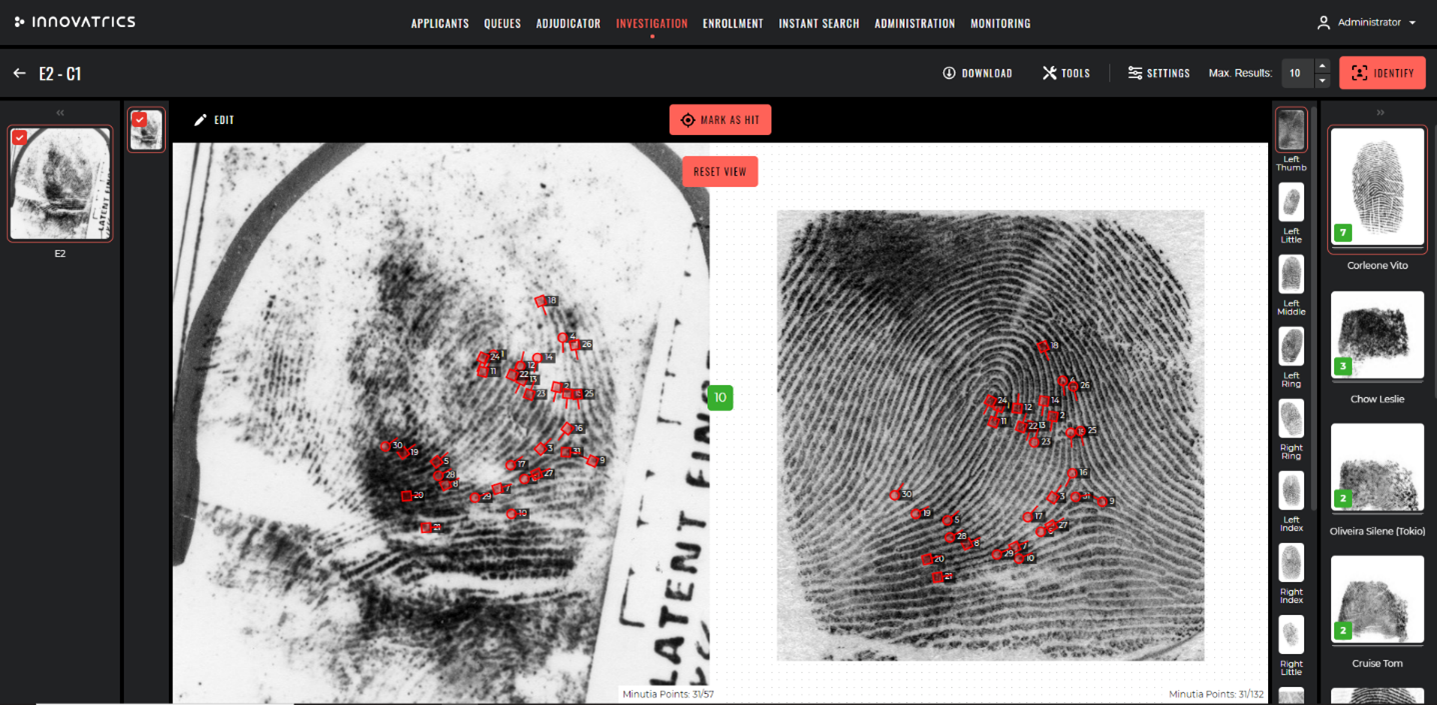
The Comparison Tool enables a side-by-side visual comparison of biometric data between a probe and a candidate record. Examiners review biometric data (face, fingerprint, palm and iris) with associated quality and similarity scores to make informed decisions.
The Comparison Tool is integrated with the workflow engine so that adjudication actions follow the agency's predefined rules and decision logic. Decisions made in the tool produce hits with the corresponding relation type (Individualized, Excluded, Inconclusive) – see Examinations and Hits.
Layout
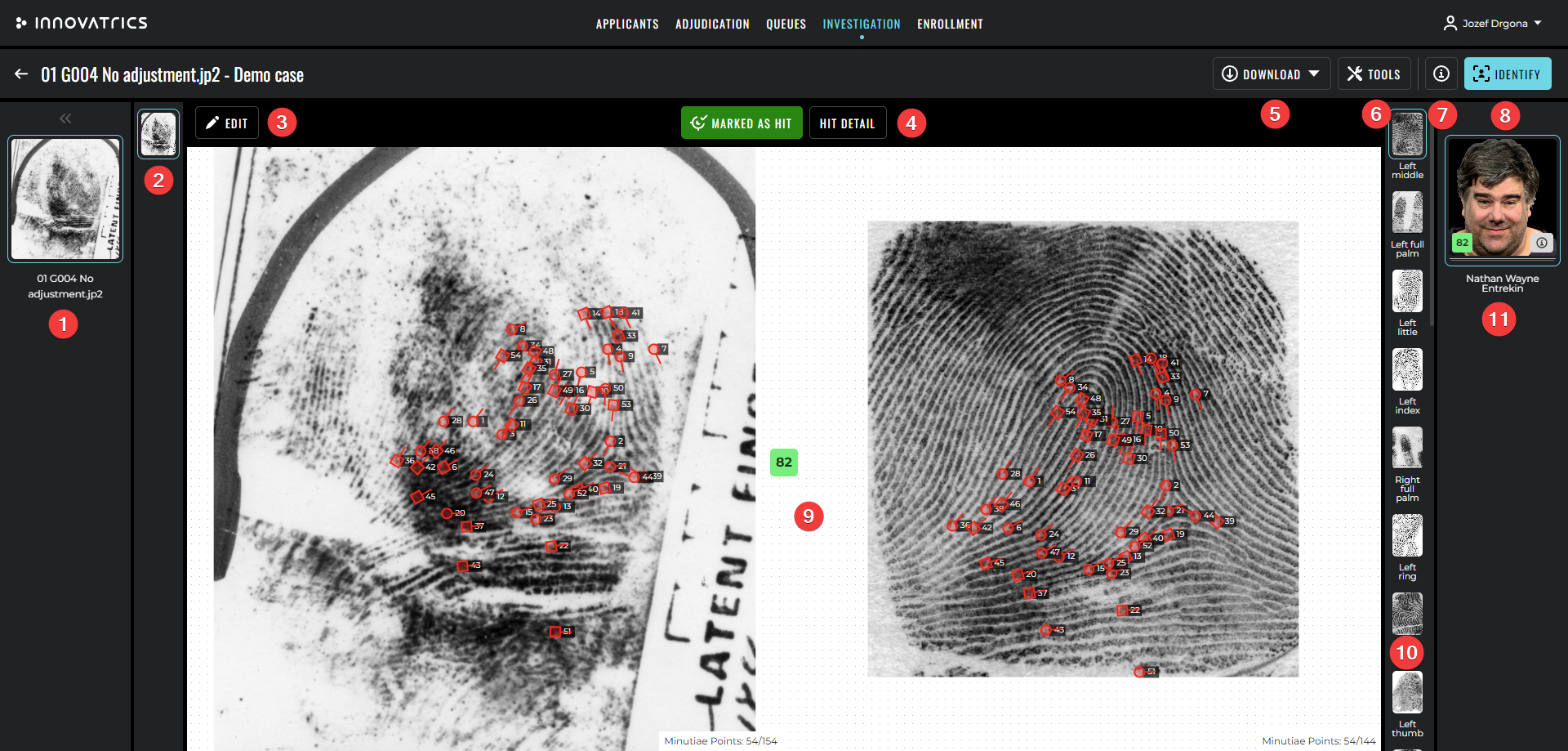
The tool displays the probe on one side and the candidate on the other. Both sides expose the same set of view adjustments, color filters and annotation tools so that the examiner can normalise the visual presentation of the two images before reaching a conclusion.
A central panel shows:
- the verification score, broken down by modality and instance,
- a list of matching minutiae (for prints),
- a list of linked visual annotations,
- the action bar to record the examiner's decision.
Image normalisation
- Eye-position adjustment (face) – automatic alignment of the two faces by detected eye positions, so that they appear at the same scale and rotation.
- Image normalisation (fingerprint, palm) – automatic adjustment of rotation so that the two friction-ridge images sit in parallel.
- DPI normalisation – when the two images come from different sources at different resolutions the tool can normalise them to 500 DPI before comparison.
Color filters
Color filters can be applied independently to the probe and to the candidate to bring out subtle features. The available adjustments are:
- brightness,
- contrast,
- gamma,
- color temperature,
- grayscale toggle,
- color inversion,
- histogram equalization.
Visual annotations
Annotations can be drawn over both images. Two annotations – one on each side – can be linked to indicate that they represent the same physiological feature in the probe and in the candidate. Linked annotations are part of the Hit detail report.

Annotations are scoped to the current examination – each Comparison or Verification examination is a fully independent workspace, so annotations from one examination do not affect another. For minutia-style annotations the tool offers a multi-colour palette so examiners can encode different levels of confidence or relevance.
Minutiae and matching features
For prints the tool can display:
- all detected minutiae,
- only minutiae that are part of the matching subset,
- the connecting lines between matching minutiae of the probe and the candidate.
For faces the tool can highlight matching keypoints.
Decision actions

The action bar exposes one button per resolution available for the current examination. The platform ships with the three classic ACE-V resolutions:
- Mark as Individualized – the probe and the candidate originate from the same source.
- Mark as Excluded – the probe and the candidate originate from different sources.
- Mark as Inconclusive – there is neither sufficient agreement nor sufficient disagreement.
The set of available resolutions is configurable per deployment so that agencies that follow regional guidelines or use additional intermediate verdicts can adapt the system to their procedures.
An optional iterator walks the examiner through every unresolved candidate of the current examination.
Audit
Every action performed in the Comparison Tool – navigation, image adjustment, annotation, decision – is logged. The state at the moment of the decision is captured as a snapshot and attached to the hit.