Cases and Evidence
The two foundational entities of Criminal Investigation are the Case and the Evidence. They are the building blocks that organize forensic work and provide a familiar, folder-like structure for investigators.
Case
A case is the top-level container for everything related to one criminal incident. It can be considered as a folder under which all data related to the investigation is stored. A case is created by an investigator when an incident is reported and is closed (or kept indefinitely open) according to the agency's procedures.
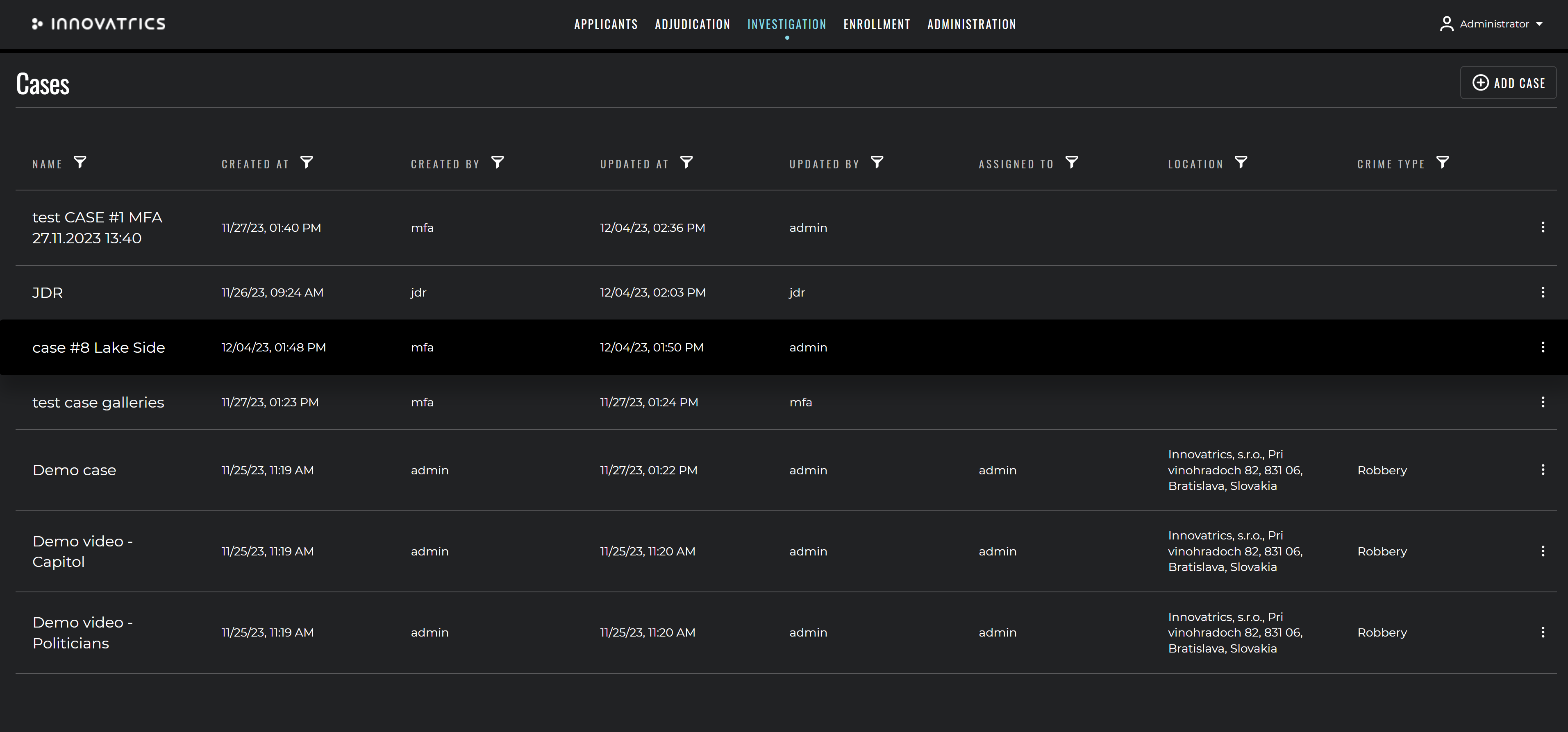
Case attributes
The following attributes can be stored on a case. The exact list is configurable per deployment.
| Name | Description |
|---|---|
| Name | A short, human-readable identifier of the case. |
| Type | shared (accessible to multiple users) or personal (private to one user). |
| Crime Type | Type of crime being investigated. |
| Person who was assigned the case | Specialist or law-enforcement officer assigned to the case. |
| Location of the crime | Location where the crime occurred. |
| Description of the case | Free-text description of the case. |
| Category | Custom case categorisation. |
| Tracking fields | Information about who created or updated the case and when. |
The list of cases supports standard functionalities such as sorting, filtering, full-text search and saved views.
Personal vs. shared cases
- A shared case is visible to all users that have permission to access it. Multiple examiners can work on it concurrently.
- A personal case belongs to one user and is invisible to others. Each user gets exactly one personal case automatically; it is intended for one-off analyses, training or quick checks.
Evidence
An evidence is a single artefact uploaded to a case. It is normally a file produced at the crime scene – a latent print lift, a CCTV photograph, a video clip from a body-worn camera, a DNA profile, a scanned document. Each evidence belongs to exactly one case.
Evidence types
Evidence is typed according to the kind of identification it can support. The exact set is configured per deployment.
| Type | Description | Possible identification | ACE-V examinations |
|---|---|---|---|
Latent print (latent) / Print (print) | Latent impression of finger, palm or other type of friction-ridge skin, or a rolled / plain ten-print. | Biometric fingerprint identification. | Yes – classic ACE-V (Analysis → Comparison → Verification). |
Facial photo (face) | Photograph of a face. | Biometric facial identification. | Yes – classic ACE-V (Analysis → Comparison → Verification). |
Video (video) | Video file containing identifiable persons. | Faces are detected automatically and identified during processing. | A specialised, non-ACE-V Video examination is created automatically for each detected person tracklet. |
DNA (dna) | DNA profile in the supported format. | DNA matching, including kinship search. | No examinations, no ACE-V. |
Other (other) | Photographs of scars, marks, tattoos, body parts; voice recordings; documents; any other case material. | SMT / face / body characteristics search, or no identification at all. | No examinations, no ACE-V. |
Evidence parameters
Every evidence carries a set of descriptive parameters. The fields below are the standard set; agencies can extend or restrict the list per deployment.
| Name | Description |
|---|---|
| Location | Where the sample was taken. |
| Description | Free-text description of the evidence. |
| Captured By | The user who captured the sample (must have an ABIS account). |
| Captured At | Timestamp of capture. |
| Capture Device | Device used to capture the sample. |
| Capture Reason | Reason of the capture. |
| Capture Consent | Consent to use the sample. |
| Placement | Information about the placement of the evidence at the scene. |
| Classification | Classification of the sample according to the investigation team's rules. |
Person characteristics on evidence
For evidence of type Other, an examiner can attach a list of person characteristics that describe the depicted feature. These are useful for photographs of scars, marks, tattoos, body postures, or distinctive facial features.
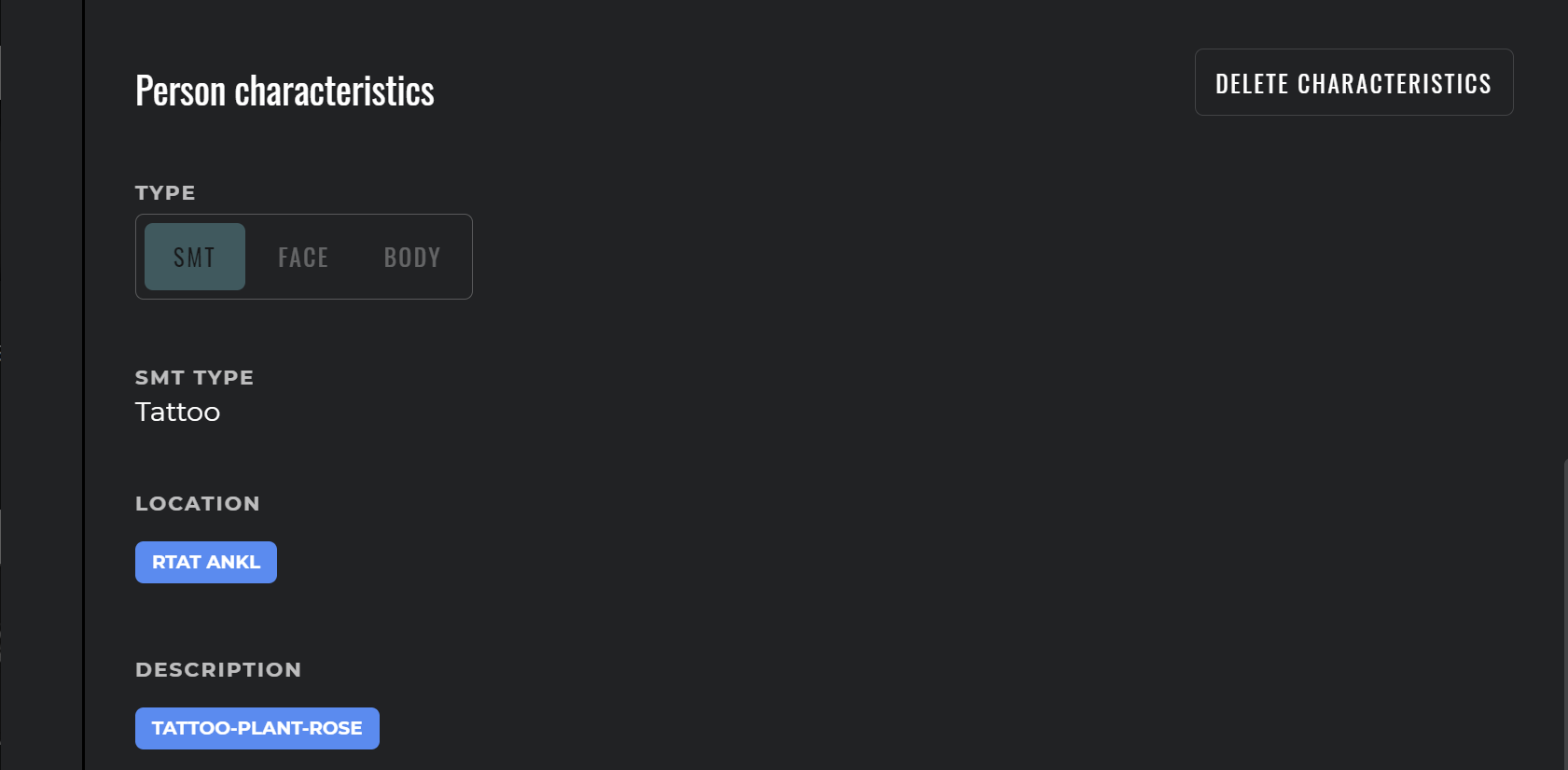
The following NCIC-coded characteristics are supported:
- SMT (Scars, Marks, Tattoos)
- Body – body posture descriptors
- Face – facial-feature descriptors
Person characteristics can be used as search criteria when biometric identification is not possible.
Criminal galleries
When an evidence is uploaded, ABIS creates a record for it in the criminal gallery. The criminal gallery groups all evidences in the system regardless of the case they belong to, so an investigator can search a probe against the entire pool of historical evidence at once. The criminal gallery sits next to the applicant galleries (records of known persons) and can be selected as the search target during identification.
Hits
When biometric identification is performed against a probe evidence the system returns a ranked list of candidates. A candidate can be either a known person (an applicant) or another evidence (in the criminal gallery). The criminal specialist then uses the Comparison Tool to evaluate the candidate against the probe.
If the specialist marks the comparison as a confirmed match, the system creates a hit. A hit is a permanent relation between the probe and the candidate; it is soft-deleted when removed and never overwritten. A Hit detail report is generated automatically.
For details on the hit lifecycle, the supported relation types and the integration view across cases, see Examinations and Hits.
Videos as a special evidence type
Videos are processed asynchronously after upload. Every face of acceptable quality found in the video is stored as a separate evidence in the criminal gallery, complete with timeline metadata (start and end position, bounding-box coordinates per frame, estimated age and gender, quality score, etc.). Hits between the faces and the criminal applicants are established automatically – no manual interaction is required.
Image format support
Cases and evidences support a wide range of image formats. The most commonly used are:
- JPEG / JPG
- JPEG2000
- WSQ (only for fingerprint and palm latent prints)
- PNG
- BMP
- RAW
For latent prints WSQ is the recommended format because it preserves the original quality of the friction-ridge image.
Search history and audit
Every identification request that is performed from the case management UI or via the API is persisted, including the search parameters and the full candidate list. The audit log stores who performed the search, when, and what the outcome was. This information is available indefinitely and can be exported.
Data export
The case management module provides a number of export tools:
- current state of an evidence file – as an image,
- current state of an evidence file with metadata – image, minutiae positions, visual annotations,
- the Hit detail report – PDF or image,
- the entire case – as an ANSI/NIST-ITL container (see the Migration API).