Settings
The Configuration page in the left menu holds two tabs: Station, for preferences of the web application itself, and the platform tab (named after the product by the configSection branding value), for the few platform settings that operators may need to change. Below them the page shows the licence details and the installed versions. Everything else about the platform is configured in .env and the Compose files, as described under Getting started.
Station preferences
| Setting | Meaning |
|---|---|
| Timezone | Timezone used to display event times. Event timestamps are stored in UTC. |
| Language | Language of the user interface. |
| Matching score type | Biometric shows the score the platform produces (0-100, threshold default 40); Linear shows a percentage derived from it, which some operators find easier to read. Biometric is recommended. |
| Show service information | Displays technical identifiers (face, tracklet, camera and member IDs) in event details and reveals the messaging and logging debug options of edge streams. |
Click SAVE CHANGES to apply.
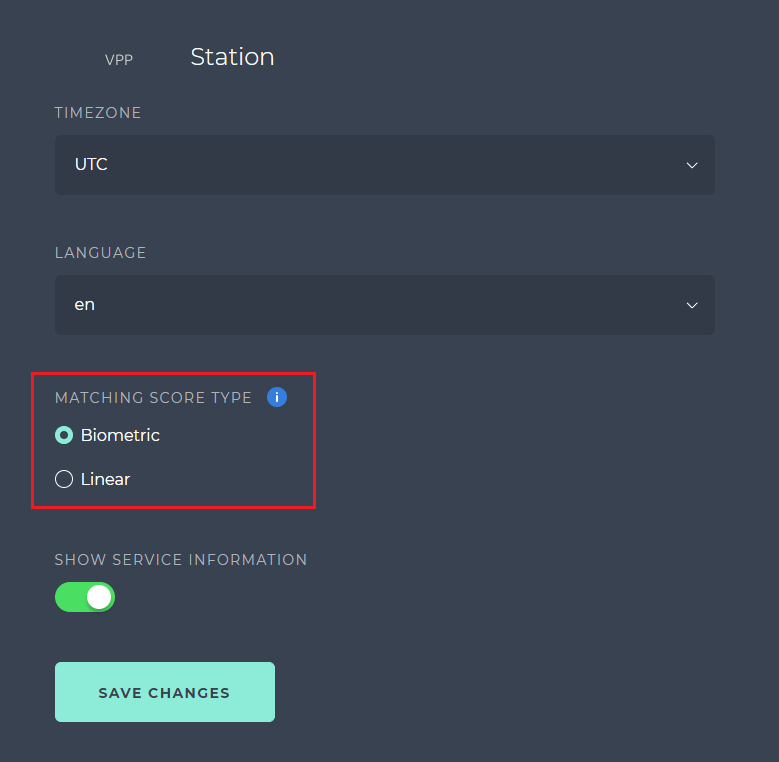
The linear percentage is computed from the biometric score with the SCORE_CONVERSION_* settings in .env.station: by default a biometric score of 20 (SCORE_CONVERSION_LOWER_LIMIT) is shown as 30 % and a score of 40 (SCORE_CONVERSION_UPPER_LIMIT) as 90 %, so that the default threshold sits at 90 %. Change the four values only if you also retune the thresholds; the score type affects display only, never the matching itself. Note that the face filter in the event history uses a different threshold range depending on the score type.
Platform settings
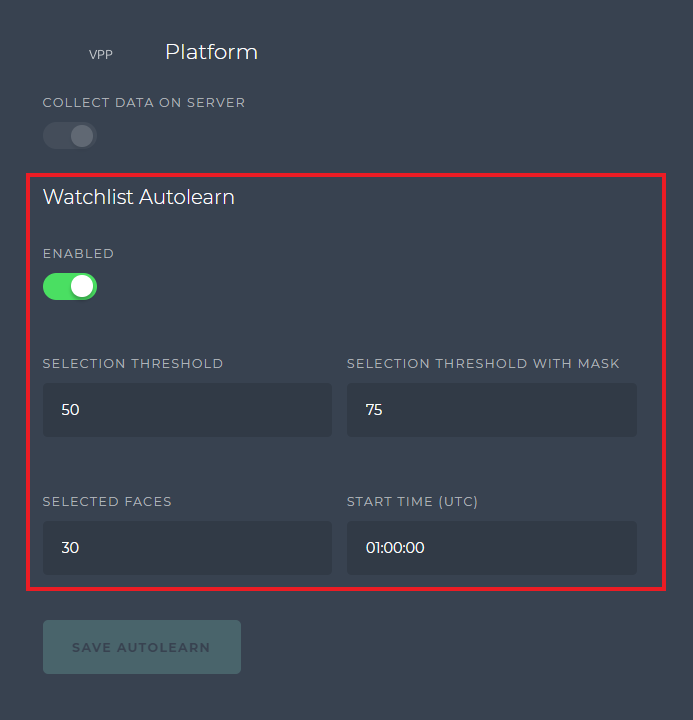
Collect data on server shows whether detections are stored on the server. It is read-only in Station; the storage settings are part of the platform configuration in .env.
Watchlist autolearn lets the platform add new face images to watchlist members automatically from good matches, improving recognition of enrolled people over time. Switch it on with ENABLED and set:
- SELECTION THRESHOLD - minimum matching score of a face to be added.
- SELECTION THRESHOLD WITH MASK - the same for faces wearing a mask, which land in a separate cluster.
- SELECTED FACES - how many autolearn images are kept per member (maximum 30).
- START TIME (UTC) - time of day when the autolearn job runs, as
hh:mm:ss.
Confirm with SAVE AUTOLEARN. Autolearn images carry an A badge in the member gallery (see Manage watchlists); the mechanism is explained in Watchlists.
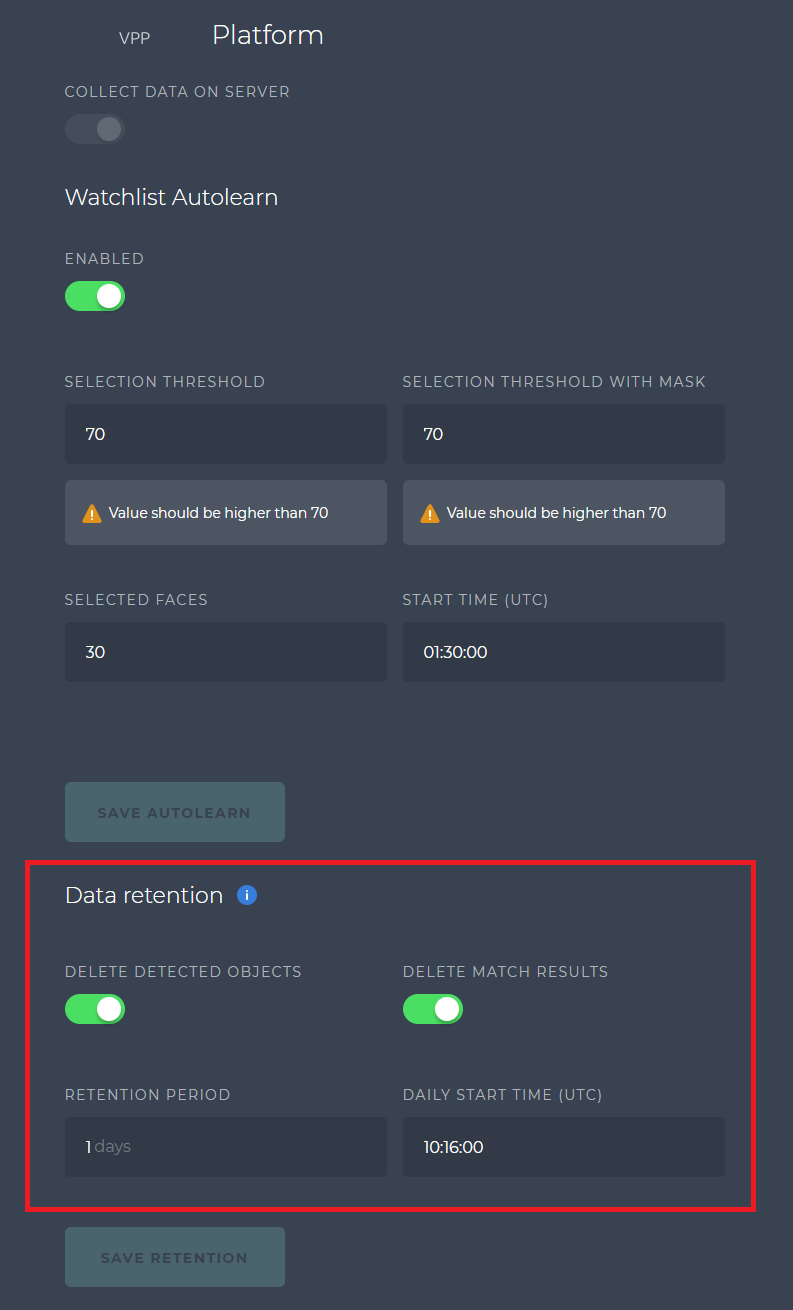
Data retention schedules a daily clean-up of stored detections. Switch on DELETE DETECTED OBJECTS and set the RETENTION PERIOD in days and the DAILY START TIME (UTC); DELETE MATCH RESULTS also removes match results whose faces no longer exist. Confirm with SAVE RETENTION. What exactly is deleted and how this interacts with backups is covered in Data retention and the data retention and cleanup guide.
Licence and versions
The License section shows the status, version and expiration date of the platform licence mounted into the containers (secrets/iengine.lic). Station itself checks that a valid licence is present; if the section reports a problem, follow Get a licence.

The Versions section at the bottom lists the installed Station and platform versions; quote them when you contact support or check the compatibility matrix.