Camera settings reference
This page lists every parameter of the camera configuration panel described in Cameras, section by section. Where a parameter offers named presets, the numeric value behind each preset is given in brackets; Custom always lets you type your own value. "External" resources run in the shared detector, extractor and liveness services, "internal" ones run inside the camera container itself; GPU options need a GPU-enabled deployment (see GPU acceleration).
General
| Parameter | Description |
|---|---|
| Camera name | Display name used in event cards, filters and the history. |
| Service name | Read-only. The camera slot (one of the cam-1 to cam-5 containers) processing this camera. |
| RTSP / Video source | RTSP URL of the stream, including credentials if the camera needs them. |
| Enabled | Starts or stops processing of the stream. |
Buttons: FILTER IN HISTORY opens the event history filtered to this camera; DELETE removes the camera.
Detection timing

| Parameter | Description | Default |
|---|---|---|
| Detection / Extraction interval | How often a frame is taken for detection and extraction: Conservative (1000 ms) saves resources, Moderate (500 ms) balances load and latency, Fast (250 ms) gives the lowest latency at the highest load, Custom sets separate detection and extraction intervals. | Moderate (500 ms) |
Face processing
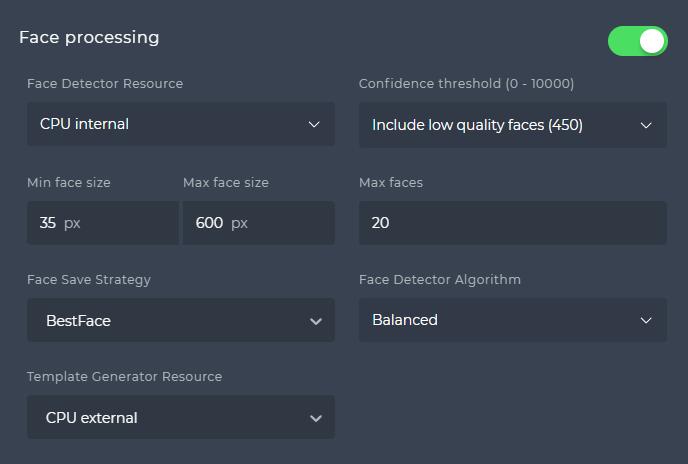
| Parameter | Description | Default |
|---|---|---|
| Face detector resource | None, CPU internal, CPU external, GPU internal, GPU external, Any external (CPU or GPU by current utilisation). | CPU internal |
| Confidence threshold (0-10 000) | Minimum detection confidence: Include low quality faces (1200), Only good faces (1500), Only perfect faces (3500), Custom. | Only good faces (1500) |
| Min face size | Smallest face detected, in pixels. | 35 |
| Max face size | Largest face detected, in pixels. | 600 |
| Max faces | Maximum faces detected per frame. Lower it to the real need of the scene; it has a large effect on throughput. | 20 |
| Face save strategy | All stores every face of a person; Balanced stores the first face and any later face with better quality or score; MatchedOnly stores only faces matched to a watchlist member (with the same improvement rule). All can generate very large amounts of data. | Balanced |
| Face detector algorithm | Balanced (speed and accuracy) or Accurate (slower, more accurate). | Balanced |
| Template generator resource | Where face templates are extracted: CPU external, GPU external, Any external. | CPU external |
The platform links detected faces to the corresponding pedestrian. If either the face or the pedestrian of a linked pair is stored, the other is stored too, regardless of the save strategy of that section.
Spoof detection
| Parameter | Description | Default |
|---|---|---|
| Distant detector resource | Passive liveness for faces at a distance (walk-through scenes): None, CPU external, GPU external, Any external. | None (CPU external when the section is switched on) |
| Distant liveness score threshold (0-100) | Results below this score count as spoof. Default (90) or Custom. | 90 |
| Nearby detector resource | Passive liveness for faces close to the camera (selfie-style scenes): same options as distant. | None |
| Nearby liveness score threshold (0-100) | Results below this score count as spoof. Default (90) or Custom. | 90 |
Both checks can run at the same time; click More resources to reveal the second one. Liveness results appear as spoof icons and in the Spoof attributes of the event detail; see Liveness for the conditions under which a check is performed.
Other processing
Pedestrian processing
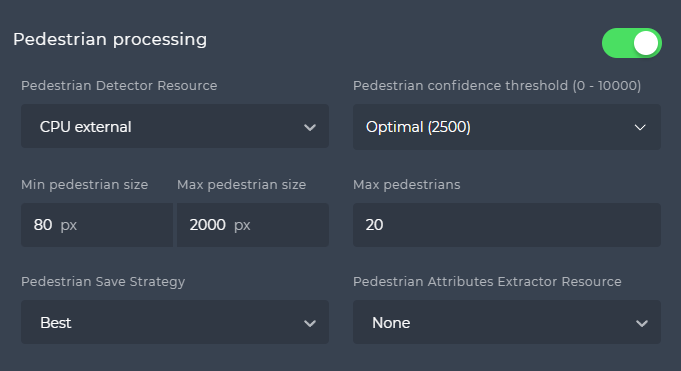
| Parameter | Description | Default |
|---|---|---|
| Pedestrian detector resource | None, CPU external, GPU external, Any external. | None |
| Confidence threshold (0-10 000) | Optimal (2 500) or Custom. | Optimal (2 500) |
| Min pedestrian size | Smallest pedestrian detected, in pixels (20-10 000). | 80 |
| Max pedestrian size | Largest pedestrian detected, in pixels (21-10 000). | 2 000 |
| Max pedestrians | Maximum pedestrians detected per frame (1-1 000). | 20 |
| Pedestrian save strategy | None stores only images linked to a face; All stores everything; Balanced stores the first image and any later image of better quality in the tracklet. | Balanced |
| Pedestrian attributes extractor resource | Extracts age group, gender, body orientation, clothing and accessories: None, CPU external, GPU external, Any external. | None |
Object processing
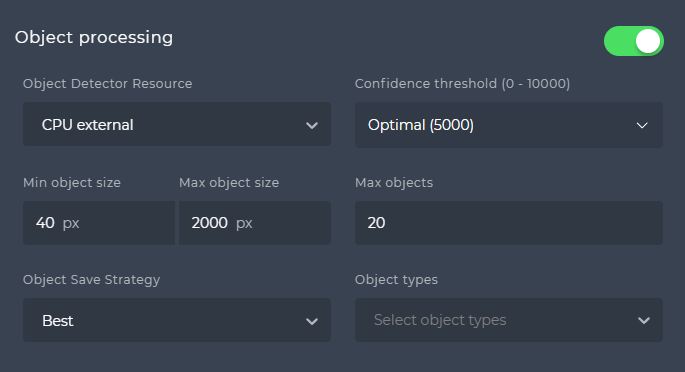
| Parameter | Description | Default |
|---|---|---|
| Object detector resource | None, CPU external, GPU external, Any external. At least one object type must be selected for detection to start. | None |
| Confidence threshold (0-10 000) | Optimal (6 000) or Custom. | Optimal (6 000) |
| Min object size | Smallest object detected, in pixels (20-10 000). | 80 |
| Max object size | Largest object detected, in pixels (21-10 000). | 2 000 |
| Max objects | Maximum objects detected per frame (1-1 000). | 20 |
| Object save strategy | None, All or Balanced, as for pedestrians. | Balanced |
| Object types | Classes to detect. Vehicles: car, bus, truck, motorcycle, bicycle, boat, airplane, train. Animals: bird, cat, dog, horse, sheep, cow, bear, elephant, giraffe, zebra. Other objects: suitcase, backpack, handbag, umbrella, knife. | none selected |
Palm processing
Station shows these controls only when its palm screens are switched on; they are off by default (see PALMS_ENABLED).
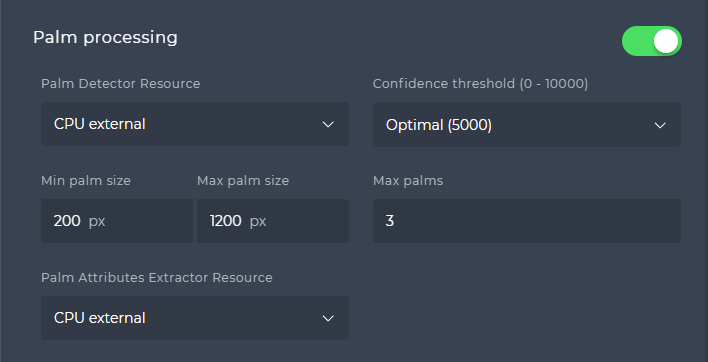
| Parameter | Description | Default |
|---|---|---|
| Palm detector resource | None or CPU external. | None (CPU external when the section is switched on) |
| Confidence threshold (0-10 000) | Optimal (5 000) or Custom. | Optimal (5 000) |
| Min palm size | Smallest palm detected, in pixels (0-10 000). | 200 |
| Max palm size | Largest palm detected, in pixels (0-10 000). | 1 200 |
| Max palms | Maximum palms detected per frame (1-1 000). | 3 |
| Palm attributes extractor resource | Where palm attributes are extracted; CPU external is the only option. | CPU external |
The section is off on a new camera; switching it on fills in the defaults above. Palms have no save strategy of their own: the Object save strategy of the object processing section applies to them, whether object detection is switched on or not. Server-side palm settings are described in Palm processing.
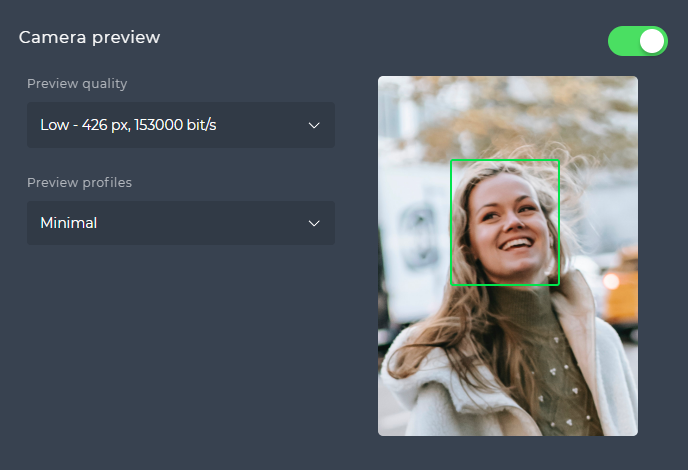
Camera preview
| Parameter | Description | Default |
|---|---|---|
| Preview enabled | Generates the MPEG1 preview stream with bounding boxes for the live monitoring page. | Enabled |
| Preview quality | Low (426 px, 153 000 bit/s), Medium (640 px, 450 000 bit/s), High (1280 px, 1 400 000 bit/s) or Custom resolution and bitrate. | Low |
| Preview profiles | Attributes drawn next to a detection: Minimal (bounding box), AC/Security (box, member name), Retail (box, member name, age, gender), Full (box, member name, age, gender, order, face or pedestrian size, confidence or quality, template quality, yaw, pitch, roll), Custom (pick attributes). | Minimal |