Face processing pipeline
Every video source, whether an RTSP camera processed on the server or an edge device that sends metadata, goes through the same sequence of stages: video decoding → detection (with tracking) → extraction → matching, followed by optional liveness, notifications and storage. This page explains what each stage does and which numbers it produces. The settings that control the stages are collected in Detection and matching settings.
Video decoding
The pipeline starts by turning the incoming stream into individual frames. For a live stream this runs continuously from the moment the camera is enabled until it is disabled. On the server the decoding is done by a GStreamer pipeline inside the camera service; on an edge device it is done by the device itself and only the results reach the server (see Cameras).
Face detection
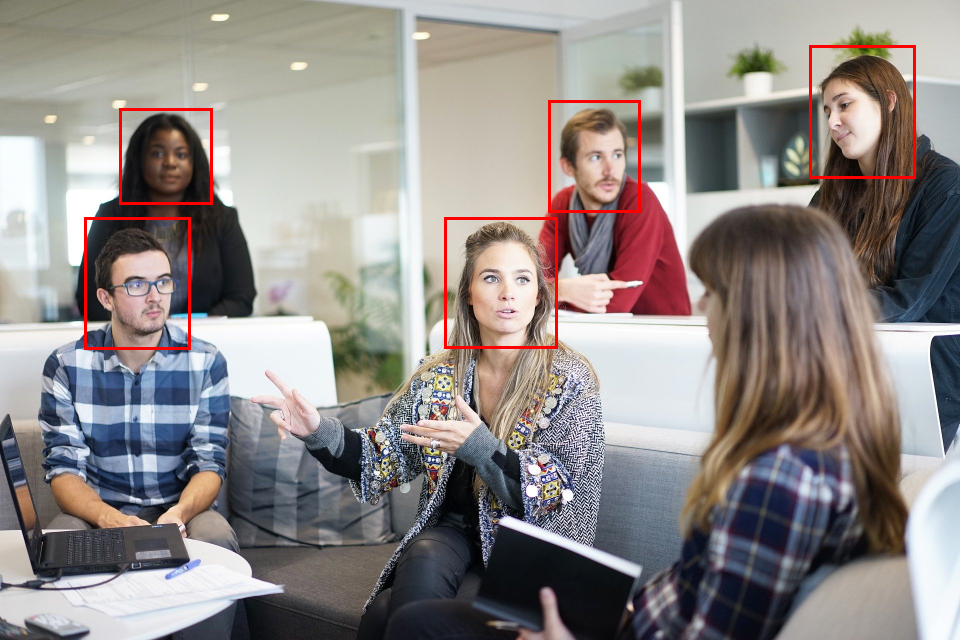
Detection finds faces in an entire frame. Because it is the most expensive step, it does not run on every frame of a live stream: it runs at a configurable detection interval (for example every 200 ms) and tracking fills the gaps. For uploaded still images detection runs on every image.
Each detected face becomes a face entity for that one frame, with a cropped image and a confidence score between 0 and 10,000. Faces below the camera's confidence threshold (default 450; 3,000 and above is considered safe) are discarded. A single frame can yield several face entities. Depending on the save strategy the crop, and optionally the full frame, is stored (see Data retention).
Detection can run inside the camera service or in the dedicated detector service, on CPU or GPU, with a Balanced or Accurate network. Which combination a camera uses is selected by its face detector resource ID.
Face extraction
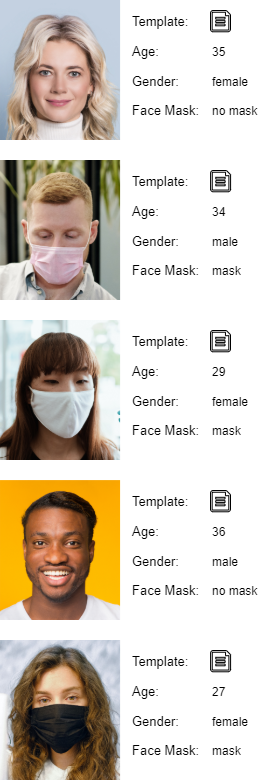
Extraction converts a detected face into a biometric template: a numeric vector that describes the face and cannot be reversed into an image. A template is generated from every detected face by the extractor service. Alongside the template it extracts attributes: estimated age and gender, detection and template quality, position of the face in the frame, head pose (yaw, pitch, roll) and whether a face mask is worn (FaceMaskStatus, FaceMaskConfidence, NoseTipConfidence).
11011100 01101010
Templates are bound to the extraction algorithm that produced them. Changing the algorithm on a system that already holds templates requires a migration, see Detection and matching settings.
Face matching
Matching compares two templates and returns a matching score from 0 to 100. On live streams every extracted template is automatically compared with all members of all watchlists by the matcher service; thousands of comparisons complete in milliseconds. Uploaded images are matched only when you ask for it through the REST API.
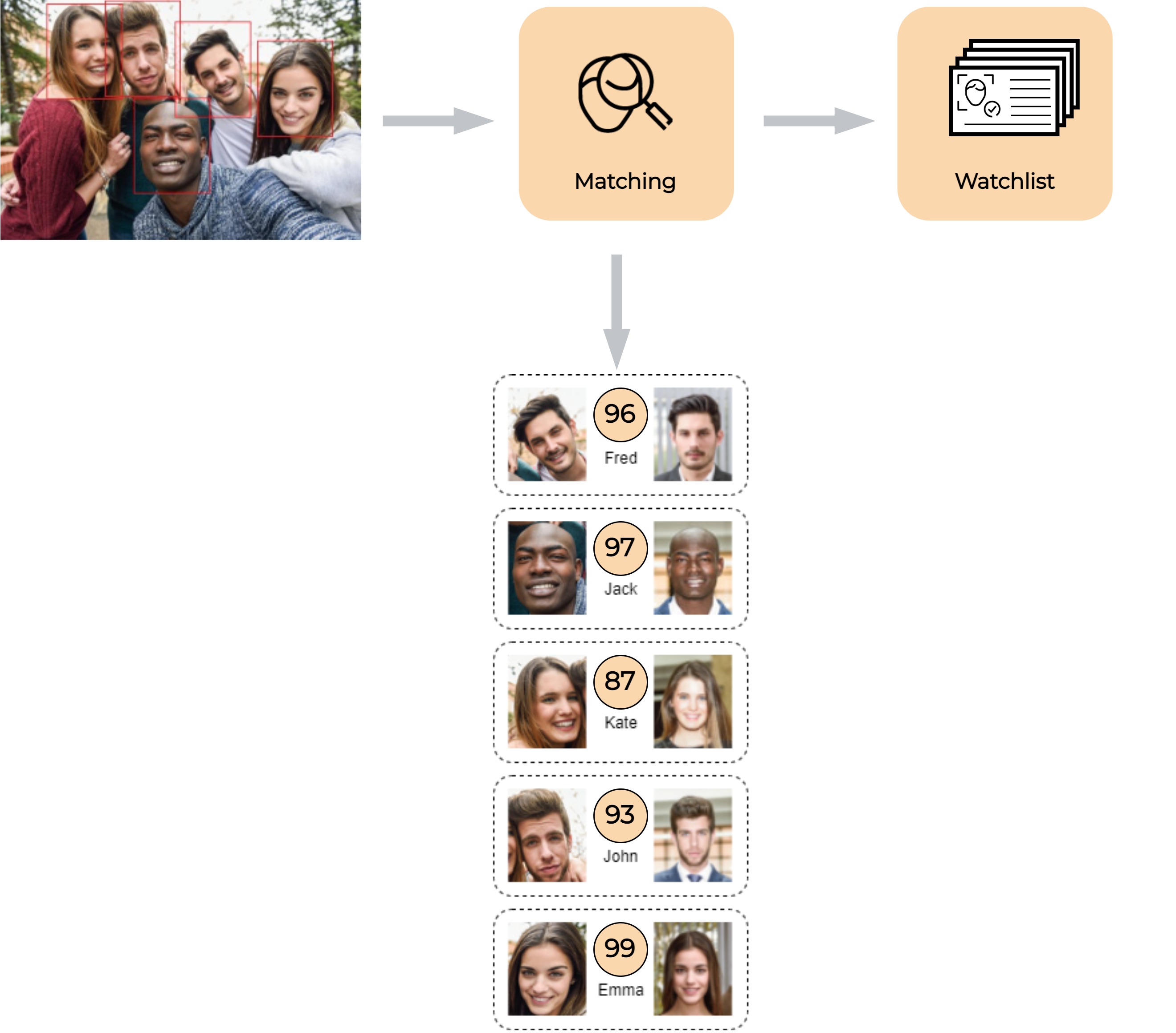
The score is not a percentage: it aggregates the comparison of hundreds of facial features and grows logarithmically with similarity. A detected face is a match when its best score is equal to or above the matching threshold; scores below it are a no-match. When a face matches several members, only the highest score counts. The platform default threshold is 40; Station can additionally display the score converted to a linear percentage. In the example below, scores 85 and 78 are matches and 38 and 12 are no-matches at threshold 40.
The score is not a percentage: it grows logarithmically with similarity.
| Threshold | Pros | Cons |
|---|---|---|
| Higher | Fewer false matches; higher security. | Only good-quality faces match; genuine members may be rejected. |
| Lower | Fewer false rejects; more convenient. | More strangers may be matched to a member. |
The right value depends on watchlist size, face size and image quality, so tune it per deployment: see Tuning identification and Accuracy and thresholds.
Tracking
Tracking follows a detected face through the following frames. Instead of re-detecting on the whole frame, it only checks the predicted area around each known face, which is far cheaper. All faces of one person captured while tracking are grouped in a tracklet; the tracklet tells you when a person entered and left the scene and how long they stayed. Tracklets are created for pedestrians and objects in the same way.
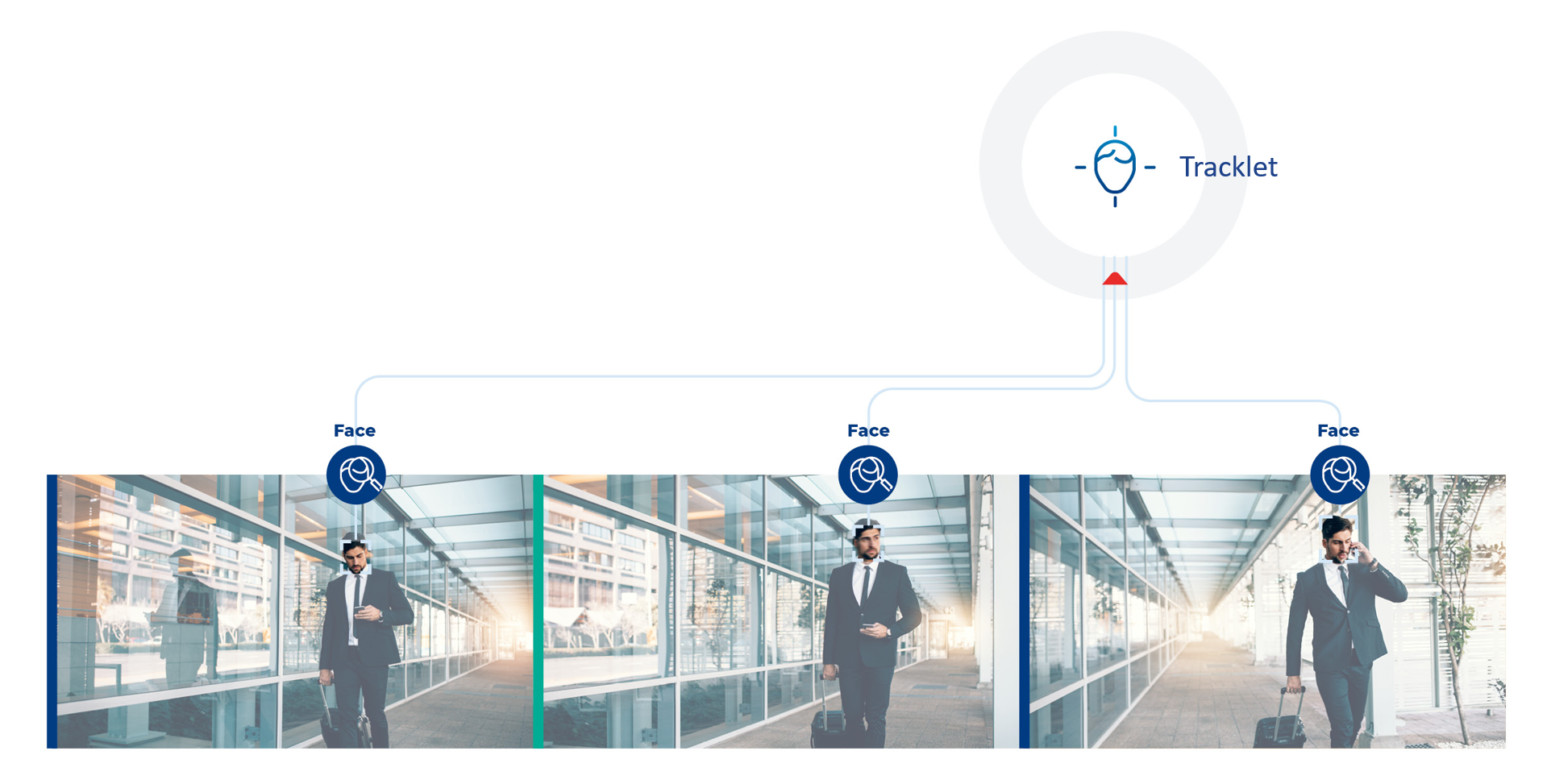
In a 25 fps stream with a 200 ms detection interval, detection runs on every fifth frame and tracking on every frame in between (every 40 ms). Each detection also triggers extraction and matching for the face. When a face is no longer found the tracklet is completed and a trackletCompleted notification is sent.
Other detectors
Pedestrian detection and attributes
Optionally, a camera can also detect pedestrians (pedestrian-detector service) and extract their attributes (pedestrian-extractor service): clothing, bags, glasses, hat, age group, gender and orientation. Attributes come as raw confidences (0 – 10,000) and as interpreted booleans derived from configurable thresholds; by default only the interpreted attributes are returned. Detected pedestrians get their own crops, tracklets, notifications (PedestrianProcessed, pedestrianInserted) and save strategy, and are linked to faces detected in the same area of the frame.
Object detection
The object-detector service can detect common objects in the same streams: vehicles (car, bus, truck, motorcycle, bicycle, boat, airplane, train), animals (bird, cat, dog, horse, sheep, cow, bear, elephant, giraffe, zebra) and other items (suitcase, backpack, handbag, umbrella, knife). Object detection is off by default and is enabled per camera by setting an object detector resource ID and at least one enabled object type. Objects get crops, tracklets and ObjectProcessed notifications like faces and pedestrians.
Palm detection
Palms follow the same detection, extraction and matching stages as faces, for RTSP cameras, edge streams and still images sent to the REST API. The palm-detector service finds palms in the frame, the palm-extractor service creates a palm template from each crop, and the template is matched against the palm images of watchlist members using the watchlist's own palm threshold.
Palm settings, the palm threshold and enrollment validation are described in Palm processing.
Where the results go
Every stage publishes its results as events over GraphQL subscriptions and RabbitMQ, and stores them according to the data retention settings. Matched faces can additionally be checked for liveness.