Enrollment Image Quality
Adding a person to a watchlist is called enrollment, whether you do it in Station (Manage Watchlists, Bulk Enrollment) or through the REST API (Enroll and Identify). The enrollment image is the reference every later detection is compared against, so its quality sets the ceiling for matching accuracy no matter how good the cameras are. Face Matcher can match faces captured in the wild, but a poor reference image lowers every score for that person.
Face validation at enrollment is on by default. The REST API rejects images that fall outside the limits in the table, and Station applies the same predefined limits (FACE_VALIDATION_MODE=predefined in .env.station). Adjust the keys in .env section 3.2 only when you understand the trade-off, and apply with docker compose up -d.
| Check | Default | Key |
|---|---|---|
| Face size (eye distance) | at least 30 px | FaceValidation__Size__Min=30 |
| Yaw, pitch, roll | -20° to 20° each | FaceValidation__YawAngle__Min/Max, PitchAngle, RollAngle |
| Face detection quality | 1000 to 10000 | FaceValidation__FaceQuality__Min/Max |
| Template quality | at least 10 | FaceValidation__TemplateQuality__Min |
| Brightness, sharpness, area on frame | not limited | FaceValidation__Brightness__*, Sharpness__*, AreaOnFrame__* |
Face size and eye distance
Aim for a sharp, in-focus image without heavy compression artefacts and with at least 50 pixels between the eyes. The validator accepts 30 px, but everything between 30 and 50 px produces weaker templates. Get there by using a sensible resolution, by photographing from the right distance and angle, and by choosing a lens with a suitable field of view. Face size terms are explained in the Biometrics Glossary.
Lens
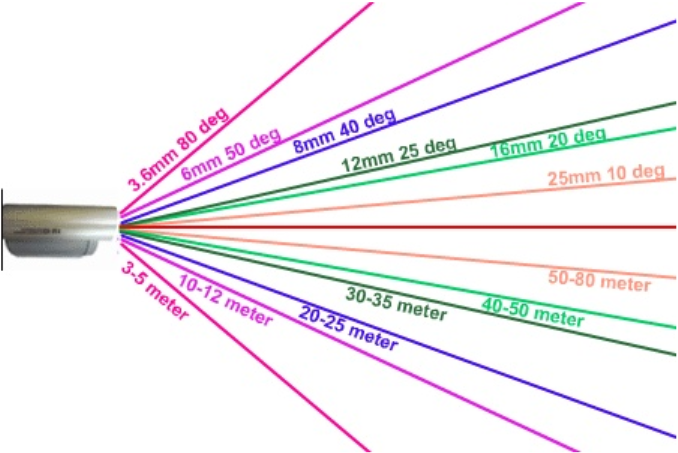
Short focal lengths distort faces (the fish-eye effect), so do not use lenses below 2.8 mm for enrollment. A longer lens or zoom keeps the eye distance high and limits the frame to the face; fixed focal length is fine for a dedicated enrollment station.
Contrast and focus
Contrast is the difference between light and dark areas; a low-contrast image has soft edges and hides facial detail. The usual cause is focus: a face slightly out of focus is tolerable if it is large enough (50 px and up), but strongly blurred faces produce poor templates. Two things put faces out of focus: a shallow depth of field, typical of zoom lenses at long focal lengths, and autofocus that hunts as the light changes. Prefer fixed focus set for the enrollment distance.

Lighting
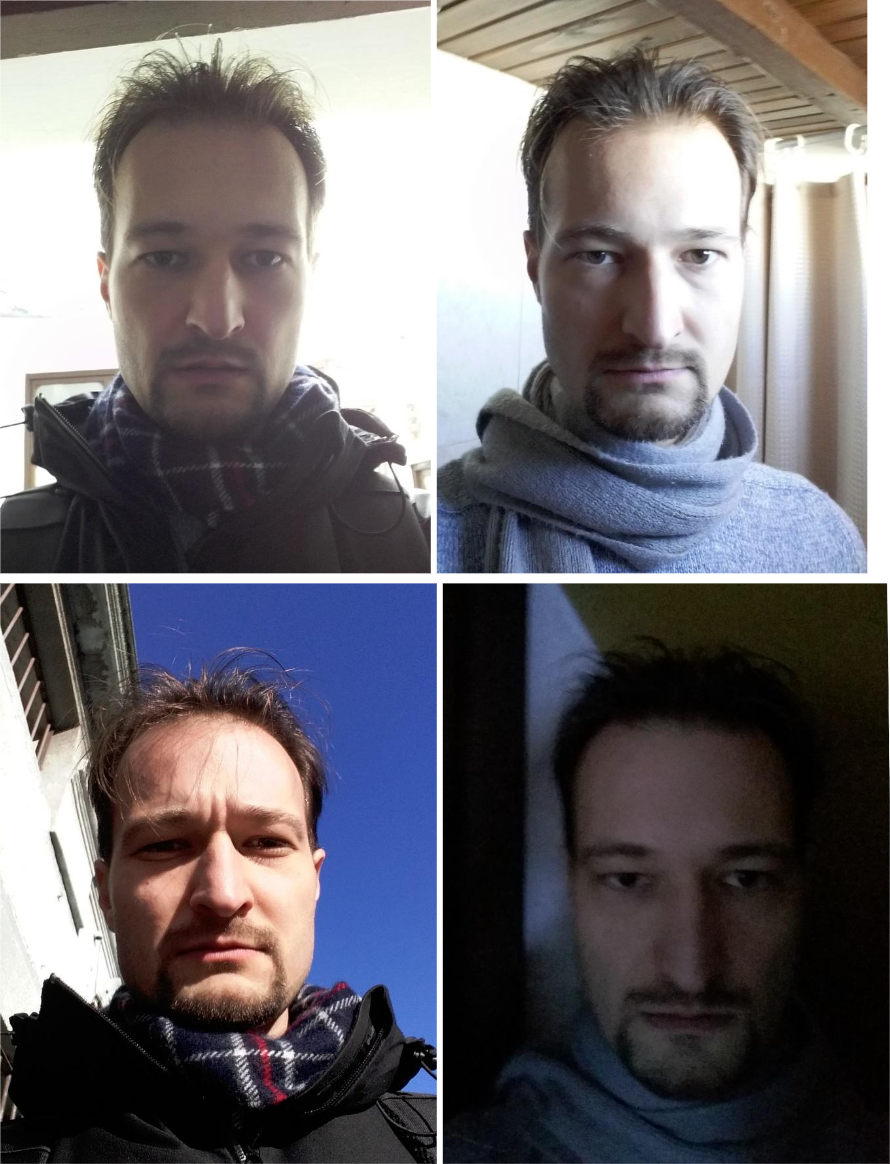
Keep every light source out of the camera's view. Natural light from windows and doors changes through the day, so do not rely on it alone; shade it or move the enrollment spot. Artificial light can usually be moved, dimmed or covered. Typical problems:
| Condition | Effect |
|---|---|
| Backlight | The face becomes a silhouette. Never place the subject in front of a window or lamp. |
| Low light | Longer exposure blurs any movement (keep it at 1/50 s or shorter); raising ISO adds noise instead. Add light. |
| Overexposure | The camera meters the background; zoom in on the face or remove the spotlight. |
| Warm-coloured light | Lowers skin contrast and removes detail. Use neutral white light. |
| Side, top or no light | Leaves dark patches on the face. Light it frontally and diffusely. |



Face orientation
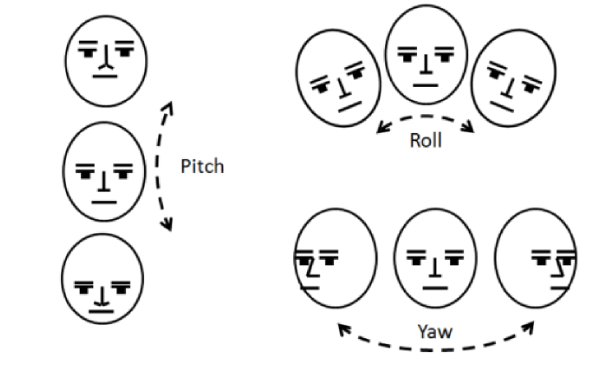
A frontal view is the goal. Keep roll, pitch and yaw within ±15° for enrollment; the validator rejects anything beyond ±20°. Live cameras tolerate wider pitch and yaw (see Camera Selection and Placement), but the reference image should be as frontal as you can make it. Place the enrollment camera at eye level, close to the person, and zoom rather than step back to keep the face above 50 px.
The ideal image
Frontal, diffusely lit, in focus, eyes well above 50 px apart, neutral expression, no glasses glare, no hat or mask. The example below is not perfectly sharp and is still an excellent reference because the lighting is even and the view is frontal.

A registration can carry up to 50 images; several good images of the same person taken at different times improve robustness, several poor ones do not. If a person keeps scoring low everywhere, re-enroll them with a better image before touching thresholds, see Tuning Identification.